Have you ever been in a situation where your internet slowed down, so you called your internet provider, and they mentioned a modem, a router, or a gateway? Suddenly, you are stuck choosing between devices you barely understand. They sound similar and look similar, but they have different functionalities.
Most people buy internet equipment blindly. They trust sales reps or follow random online advice. They waste a lot of money and end up with poor coverage and speeds that never match the plan you pay for.
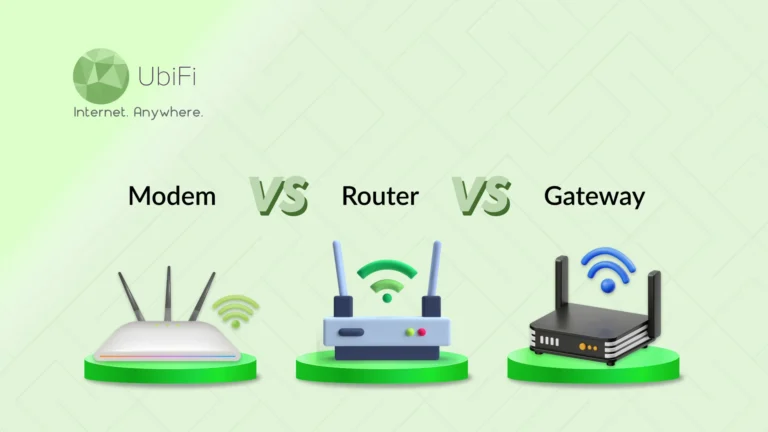
Each device has a specific job. A modem connects your home to your internet provider. A router spreads that connection across your devices. A gateway combines both into one box. In this blog, we will explain the differences between a modem, router, and gateway. You will learn how each device works, when you need it, and which setup makes sense for your situation. Let’s start!
What is a Router?
A router is the device that spreads your internet connection around your home. It works like a traffic director. It receives the internet signal and sends it to your phone, laptop, smart TV, and every other connected device.
If the router is not there, internet access will be limited to only one device. And it would need a cable. The router solves this problem by creating a WiFi network to connect multiple devices. A router:
- Assigns a unique address to every device.
- Manages data flow between them.
- Keeps connections stable and organized.
Pros and Cons of a Router
A router is a very important part of your WiFi network. But like any device, it has pros and cons. Let’s look at both so you can get a better understanding.
Pros of a Router
- Wireless freedom: A router lets you connect without cables. You can move around your home and stay online.
- Connect many devices at once: Phones, laptops, TVs, and smart speakers can be connected at the same time. Everyone can stay online at the same time.
- Better control over your network: Set up the router for the best speed. It lets you set passwords, block unknown users, and create guest networks. You decide who gets access.
- Improved speed management: Good routers manage traffic well. They prioritize video calls and streaming. This reduces lag and buffering.
- Built-in security features: Modern routers come with firewalls and encryption. This protects your data from outside threats.
- Customization options: You can rename your network, change passwords, set time limits for kids, and more. Some routers even allow app-based control.
Cons of a Router
- Speed depends on quality: Cheap routers struggle with high speeds. If your plan is fast but your router is weak, you won’t get good speeds.
- Limited coverage: Walls, floors, and distance affect signal strength. Large homes may have dead zones. You may need extenders or mesh systems.
- Needs proper setup: While most routers are simple, setup can be confusing for first-time users. Wrong settings can affect performance.
- Can become outdated: Technology changes fast. Older routers may not support new standards. This limits speed and security.
Overall, a router distributes the internet so that devices can connect to the network and access it. When you choose the right one and keep it up to date, it makes your connection faster, safer, and smoother across every device you use.
What is a Modem?
A modem is the starting point of an internet connection. The internet service provider will send data to this device through cables, fiber lines, or phone wires. That signal cannot be used as is. The modem converts it into digital data that your devices understand.
Pros and Cons of a Modem
A modem may not get much attention, but it plays a critical role. It decides how clean and stable your connection is. Let’s break down the real benefits and the limits, without sugarcoating.
Pros of a Modem
- Direct access to your provider: The modem connects straight to your ISP. There is no middle layer. This gives you a stable network connection.
- Better performance with the right model: A modern modem can handle high speeds, which is very important when you are on a fast plan.
- More reliable connection: Quality modems reduce signal drops. They handle noise better on the line.
- Long lifespan: A good modem can last several years. You upgrade only when standards change.
Cons of a Modem
- No WiFi capability: A modem alone is useless for wireless access. You still need a router.
- Compatibility matters: Not all modems work with every ISP. You must check approval lists.
- Upfront cost: Buying one costs more at first. Savings come later.
- Limited features: Modems do one job. They lack security tools and controls.
- Can become outdated: Internet standards evolve. Old modems cannot handle new speeds.
- Hard to diagnose issues: When the internet fails, it’s tough to know if the modem is the cause.
In short, a modem is the foundation of your internet connection. Just make sure it is compatible with your router and up to date.
What is a Gateway?
A gateway is an all-in-one internet device. It combines a modem and a router in a single box. Instead of buying two separate devices, you get both functions together.
Here is what a gateway handles:
- It connects to your internet provider.
- It converts the signal into usable data.
- It creates a WiFi network.
- It manages all connected devices.
Pros and Cons of a Gateway
A gateway keeps things simple. Single device with just two functions. But simplicity has its trade-offs. Let’s look at what you gain and what you give up.
Pros of a Gateway
- All-in-one convenience: You get a modem and router in one unit. Less hardware with fewer cables and a clean setup.
- Easy installation: Most gateways are plug-and-play. Your provider guides the setup.
- ISP support: If something breaks, your provider handles it. You don’t have to work around the devices.
- Automatic updates: Firmware updates happen in the background. You stay protected without effort.
- Space-saving design: Great for small homes or apartments, with no bulky gear.
- Decent security features: Most gateways include firewalls, encryption, and guest networks.
- Lower upfront cost: You usually rent it, so no big payment at the start.
Cons of a Gateway
- Limited performance: All-in-one devices struggle under heavy load. Many devices can slow it down.
- Weak WiFi range: Coverage is often average. Large homes may see dead zones.
- Few customization options: Advanced settings are locked. Power users feel restricted.
- Hard to upgrade: If one part fails, you replace everything.
- Outdated hardware: ISPs rarely offer top-tier models. You get basic gear.
Overall, a gateway is a hassle-free option, but it works best for light to moderate use, not for users who want top performance or complete control over their network.
Modem vs Router vs Gateway: Key Difference
Below are the key differences among a router, a modem, and a gateway across various parameters.
Function
- Router: A router’s primary job is to share the internet across all devices. It directs traffic between your phones, laptops, smart TVs, and other gadgets. Without it, only one device could connect at a time via cable.
- Modem: A modem is the entry point for the Internet. It connects your home to your Internet Service Provider (ISP) and converts the signal from your provider into a usable internet connection. Alone, it cannot wirelessly share the internet with multiple devices.
- Gateway: A gateway combines the roles of both a modem and a router in a single device. It connects to your ISP and spreads WiFi throughout your home. This simplifies setup and reduces the need for extra devices.
Application Layer
- Router: Routers operate primarily at the home network level, handling traffic between devices and the internet. They ensure apps like streaming, gaming, or video calls run smoothly by efficiently managing data.
- Modem: A modem works at the network signal level. It does not interact with applications directly but focuses on converting signals from your ISP into a format your home devices can understand.
- Gateway: Gateways operate across both layers. They receive the ISP signal and manage traffic between devices. This dual function reduces setup steps but gives fewer customization options than a dedicated router.
Network Addressing
- Router: Routers assign local IP addresses to all devices in your home, ensuring each device has a unique identifier. This is crucial for managing multiple devices without conflicts.
- Modem: Modems usually receive a single public IP address from the ISP. They do not assign addresses to devices in your home network.
- Gateway: Gateways combine both functions. They receive a public IP address like a modem and assign local IPs like a router. This allows them to manage home networks efficiently while maintaining an external connection.
Protocols Supported
- Router: Routers support WiFi (802.11 standards) and Ethernet protocols. They handle DHCP for assigning IP addresses, NAT for sharing one connection among devices, and TCP/IP for internet communication.
- Modem: Modems support provider-specific protocols such as DOCSIS for cable or DSL standards for phone line connections. Their focus is on signal conversion rather than network management.
- Gateway: Gateways support both sets of protocols. They handle DOCSIS or DSL communication from your ISP and also manage WiFi, DHCP, NAT, and TCP/IP for your home network.
Security
- Router: Routers provide multiple security layers. They include firewalls, encryption (like WPA3 for WiFi), and tools to block unauthorized devices. Some even offer parental controls and guest networks.
- Modem: Modems have minimal security. They rely primarily on the ISP for protection. A modem alone does not protect your devices from internet threats.
- Gateway: Gateways offer built-in security features like firewalls and encryption. While convenient, they may not be as customizable or robust as a dedicated router’s security settings.
In the end, a modem connects you to the internet, a router shares that connection with your devices, and a gateway combines both in one unit. Understanding this difference helps you know how your home internet actually works and why each device matters.
Modem vs Router vs Gateway: Which Should You Choose?
Choosing between a modem, router, or gateway comes down to how much control, performance, and simplicity you want from your internet setup. Each device plays a different role, and the right choice depends on your home size, number of devices, and how you use the internet.
- Modem + router: Choose this combo for faster speeds, stable WiFi, and better control. It is ideal for work, streaming, gaming, and multiple devices.
- Gateway: Choose it if you want a simple, plug-and-play setup. It is a single-device setup with fewer cables and minimal effort for everyday use.
Consider long-term usage of the internet. It is growing; a flexible setup helps you upgrade speeds and coverage without replacing everything.
At last, the correct device will make sure your internet works how you expect. If you are unsure which setup fits your home or want to see which plans work best with your choice, explore our internet plans to find a solution that matches your needs.
FAQs About Modem vs Router vs Gateway
Is a router the same as a modem?
No, they do different jobs. A modem connects your home to the internet, while a router spreads that connection to your devices. One brings the internet in, the other distributes it throughout your home.
Do I need a router if I have a modem?
Yes, if you want WiFi or multiple devices online. A modem only brings the internet into your home. It won’t share it wirelessly. A router is required to create a WiFi network and manage all connected devices.
Do I need a gateway if I have a router?
No. If you already have a router, you only need a modem to connect to your internet provider. The router will handle WiFi and device management. A gateway simply replaces both devices with one unit, which is optional.
Is a gateway better than a modem and router?
A gateway can be a better choice if you want a simple, all-in-one setup. It combines the modem and router into one device. This makes installation easier and cuts down on clutter. However, using separate devices usually provides better performance, more customization, and easier upgrades. This is especially true for larger homes or complex internet needs.