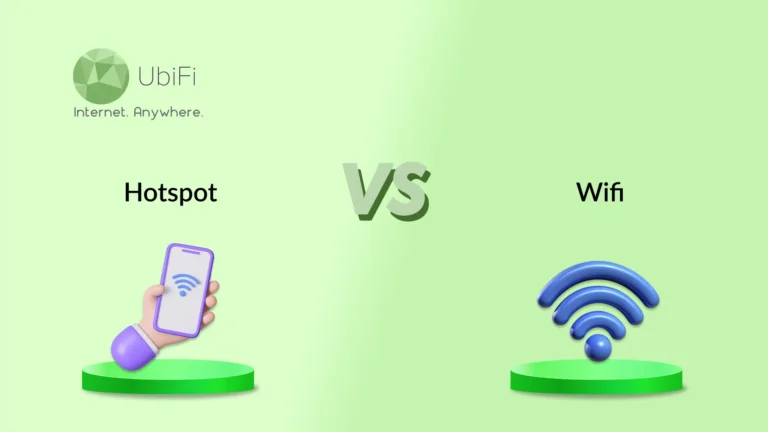
HotSpot is built for flexibility, while WiFi is built for stability. Use each where it works best.
WiFi is best for stable, long-hour use with multiple devices and predictable speeds. Hotspots offer mobility and quick access but are best suited to light usage.
Speed and performance depend more on usage, signal strength, and network traffic than on the technology.
Choosing between hotspot and WiFi should be based on lifestyle, location, and daily data needs.
Sidra Jefferi
12Minutes to read
Table of Contents
Today, internet access is needed almost everywhere. For work calls, GPS, streaming, or staying in touch, being offline is no longer an option. Yet when choosing between a mobile hotspot and WiFi, many people are unsure which option best fits their daily needs.
The confusion is understandable. Public WiFi is easy to find, but often slow and carries many risks. Home WiFi works well, but only within its limits. Mobile hotspots offer freedom, but they raise questions about speed, cost, data limits, and security.
To make the choice easier, we will compare hotspot vs WiFi based on the key parameters and discuss which is a better pick. So, let’s dive in!
Hotspot vs WiFi at a Glance
Below is a quick side-by-side comparison table of hotspot and WiFi to help you understand the differences.
Parameter
Hotspot
WiFi
Connection source
Uses cellular networks like 4G or 5G
Uses wired internet, like cable or fiber
Mobility
Fully portable, works on the move
Fixed to one location
Setup time
Ready in minutes, no installation
Requires a router and setup
Speed consistency
Varies with signal and congestion
More stable and predictable
Data limits
Usually capped
Mostly unlimited
Cost structure
Pay based on data usage
Fixed monthly plans
Device support
Limited devices at once
Handles many devices easily
Security level
Safer than public WiFi
Secure at home, risky in public
Best use case
Travel, backup, temporary access
Home, office, long daily use
What is WiFi?
WiFi is the internet connection most people rely on at home, work, and public places. It is a wireless communication technology used for LAN(Local Area Networks).
It works through a router that pulls internet from your service provider and spreads it wirelessly to nearby devices. It is built for steady, shared access. It supports laptops, TVs, cameras, and smart devices simultaneously.
Pros and Cons of WiFi
WiFi is familiar and convenient, but it isn’t perfect. Its strengths are evident in stable environments, while its limitations appear when networks are crowded or poorly managed.
Pros of WiFi
Cons of WiFi
No data limits on most home plans, so you can stream and work freely
Performance drops when many devices use the same network
Reliable for long sessions like work calls, gaming, and streaming
Speed depends heavily on your router and internet plan
Cost-effective for households with multiple users
Coverage weakens through walls and across larger spaces
Easy to connect many devices at once
Public WiFi can expose personal data if unsecured
No battery drain on phones like mobile hotspots
Not portable without a fixed internet service
What is Hotspot?
A hotspot gives you the internet by using a cellular network instead of a wired connection. It can be your phone sharing data or a dedicated hotspot device built for this purpose.
Hotspots are very useful when WiFi isn’t available or cannot be trusted. They connect through 4G or 5G networks and work almost anywhere you get a cell signal. The trade-off is control. You gain mobility, but you operate within data and battery limits.
Pros and Cons of Hotspot
Hotspots give you freedom, and they’re also used as emergency WiFi. They work best on the move, but they come with limits you should understand upfront.
Pros of Hotspot
Cons of Hotspot
Works anywhere with cellular coverage
Data limits can run out quickly
More secure than most public WiFi networks
Speed depends on network congestion and signal strength
Both hotspot and WiFi get you online, but they serve very different needs. The right choice depends on how you connect, where you work, and how long you stay online.
Connection Type
Hotspot: A hotspot connects to cellular networks such as 4G or 5G. It relies on nearby cell towers rather than cables. This makes it independent of local internet lines. It works as long as there is mobile coverage.
WiFi: WiFi is delivered over a fixed internet connection, typically cable or fiber. A router spreads that connection wirelessly. It stays tied to one location. Quality depends on the internet service and router setup.
Network Stability & Performance
Hotspot: Performance can change with signal strength and tower traffic. Busy hours affect speed. Moving even a short distance can impact connection quality. It’s reliable, but not always consistent.
WiFi: WiFi delivers more consistent performance in controlled environments. Speeds stay predictable when the network isn’t overloaded. Stability improves with good routers and strong plans. Drops are rare once set up right.
Portability
Hotspot: Portability is its biggest strength. You can work from a car, hotel, or park. Dedicated hotspot devices are built for travel. If you need WiFi in a van, a hotspot can provide it.
WiFi: WiFi is tied to a location. You lose access once you leave the network range. It works well at home or in the office, but not beyond those spaces.
Speed
Hotspot: Speed depends on network quality and coverage. 5G hotspots can be fast, but speeds fluctuate. Congestion slows things down quickly. Heavy tasks feel the impact.
WiFi: WiFi often delivers higher, more consistent speeds. Fiber and cable plans handle streaming and uploads better. Speeds stay consistent during long sessions.
Cost
Hotspot: Hotspots typically include data caps. Extra usage costs more. Dedicated devices add hardware costs. Long sessions can become expensive.
WiFi: WiFi uses fixed monthly plans. Most plans offer unlimited data. Cost per device drops as more users connect.
Setup
Hotspot: Setup is quick and easy. Turn it on and connect. There is no wiring or installation. Ideal for temporary use.
WiFi: WiFi setup takes more effort. Router placement must be proper, and cables must be managed. Once complete, it runs with minimal oversight.
Attack Vulnerability
Hotspot: Hotspots are safer than public WiFi by default. The network is private. Fewer users reduce risk. Strong passwords matter.
WiFi: Home WiFi is secure when configured well. Public WiFi carries a higher risk. Open networks expose personal data.
Long-term Usage
Hotspot: Hotspots are most effective as backup or travel tools. They are not built for constant heavy use. Data limits and costs add up.
WiFi: Designed for extended use and multiple devices. It supports daily work, streaming, and smart homes. It scales better over time.
In a nutshell, hotspots use cellular networks for mobile internet access, excelling in travel and quick setup despite limitations in data and speed. WiFi provides stable, high-speed internet via fixed lines, making it suitable for long-term use and supporting multiple devices in a single location. However, keep in mind that the weather can affect WiFi.
How to Choose Between Hotspot and WiFi?
The right choice depends on how you use the internet, not what sounds faster or newer. Think about where you work, how long you stay online, and how much data you really use.
Choose Hotspot if:
You travel often, work from multiple locations, or need WiFi in a camper.
You need internet access outside your home or office.
You want a quick backup when WiFi fails.
You value mobility over unlimited data.
You handle light to moderate tasks like emails or meetings.
Choose WiFi if:
You work long hours in one place.
You regularly stream, download, or upload large files.
Multiple devices can connect simultaneously.
You want predictable speeds and stable performance.
You prefer fixed monthly costs without data limits.
In short, a hotspot gives freedom and flexibility. WiFi gives stability and scale. Choose based on how you live and work, not just convenience.
Can a Hotspot Replace WiFi for Home Use?
A hotspot can replace WiFi in certain home setups, but it isn’t a universal solution. The answer depends on where you live, how long you need it, and how heavily you use the internet.
A hotspot can work well at home if:
You live in an area without reliable broadband or wired internet
Your location only supports cellular coverage, not cable or fiber
You need internet for a short period, such as temporary housing
Your usage is light, like browsing, emails, and video calls
Streaming is occasional, not constant
A hotspot may struggle if:
Multiple people use the internet at the same time
You stream in high quality or play games online regularly
Large downloads are part of your daily routine
You rely on unlimited data for long hours
Simply put, hotspots are a practical substitute when options are limited or temporary. For heavy use and larger households, WiFi remains the stronger choice.
Hotspot and WiFi are designed for different use cases. WiFi offers stability, higher capacity, and comfort for daily home or office use. Hotspots bring freedom, quick access, and a reliable connection when wired internet isn’t available.
The right choice between the two comes down to how you live and work. If you use the internet heavily from a single place, WiFi is the smarter long-term option. If you move frequently or need flexibility, a hotspot is a better option. Choose based on usage, not convenience, and your connection will work with you.
If you live in the rural areas of America and need high-speed internet for your daily usage, explore our plans today!
FAQs on Hotspot vs WiFi
Is using a hotspot for home internet expensive?
It depends on your usage. If you’re a heavy user, you’ll need more data and speed, which increases the internet cost. The price varies based on your choice.
Can I use a mobile hotspot in rural areas?
Yes, you can use it in rural areas. If you have a battery-powered portable hotspot, you can access the internet even when there is a powercut. It is a reliable option for rural usage.
Do I need the internet if I have a hotspot?
A hotspot’s primary function is to extend the existing internet connection, typically cellular. So you need a data plan. The plan will provide internet service, and the hotspot connects devices to it.
Sidra Jefferi is the Marketing Director at UbiFi with deep expertise in corporate actions and a strong understanding of both international and domestic markets. She combines her analytical skills and attention to detail with strategic marketing leadership to help expand UbiFi’s mission of delivering reliable internet to rural and underserved communities.
Internet That Moves With You — Plans Begin at $89.99/mo
Stay online from rural areas or anywhere on the road.