Internet access is no longer just needed at home or in the office. Users join work calls, send files, check directions, or stream content throughout the day. But when a traditional internet connection is not available, a mobile hotspot can often fill the gap and keep devices online.
Many people have heard the term mobile hotspot but are not quite sure what it does or when it makes sense to use one. In this blog, we will discuss what is a mobile hotspot, how it works, and the advantages it offers. The guide will also cover the situations where a hotspot can be a practical solution and what to keep in mind before using one.
What is a Hotspot?
A hotspot is a feature or device that shares an internet connection with other devices through WiFi. It creates a small wireless network that lets phones, laptops, tablets, and other devices connect to the internet.
Benefits of a Hotspot
A hotspot can be useful in many everyday situations:
- Get online where WiFi isn’t available.
- It provides internet access when there is no nearby WiFi network.
- Connect more than one device.
- Phones, laptops, tablets, and other devices can use the same connection.
- Quick and simple to use.
- Most hotspots can be turned on and connected within minutes.
- More private than public WiFi.
- A personal hotspot is generally safer than using an open network in public places.
- Helpful while traveling or working remotely.
- Internet access stays available in more locations.
- Uses cellular networks.
As long as there is a mobile signal, a hotspot can provide internet access to connected devices.
What is a Mobile Hotspot?
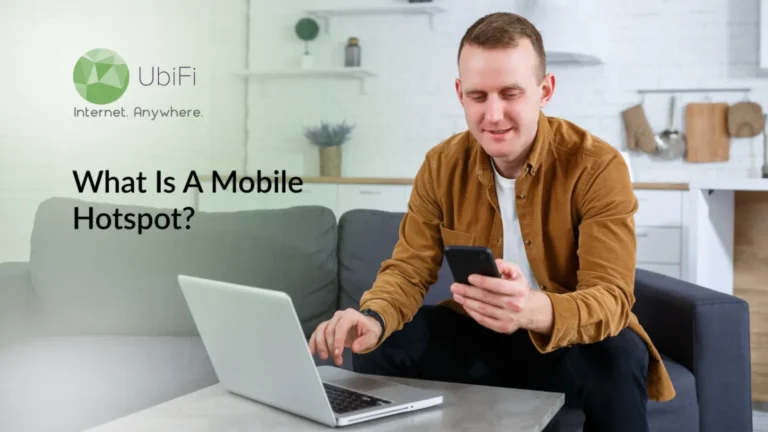
A mobile hotspot is a feature on a phone or a separate device that shares the internet using mobile data. It works like a small WiFi router that can be carried anywhere. Other devices, such as laptops, tablets, and phones, can connect to it when no regular WiFi is available. It works wherever there is mobile network coverage.
It uses cellular data from 4G or 5G networks to create an internet connection. Multiple devices can connect at the same time. A dedicated hotspot device can also be used instead of a phone, especially for extended use or better battery life.
How Does a Hotspot Work?
A hotspot takes mobile data and turns it into a WiFi signal that other devices can use.
- It connects to a mobile network using a SIM card or phone data plan.
- It creates a WiFi signal that nearby devices can detect.
- Devices connect to it the same way they connect to normal WiFi.
- Internet speed depends on mobile signal strength and network type.
- Multiple devices can use the same connection at the same time.
- It works anywhere there is mobile coverage.
In short, a mobile hotspot turns mobile data into a WiFi connection that other devices can use. It lets phones, laptops, and tablets connect to the internet anywhere there is mobile network coverage.
Why Use a Mobile Hotspot Device?
A mobile hotspot device is a good choice when internet access is needed away from home or work, or when using public WiFi networks. It provides a private connection and is built specifically for sharing the internet with multiple devices.
Better Than Using a Phone for Long Periods
Using a phone as a mobile hotspot can drain the battery quickly. A dedicated hotspot device is designed for continuous use and can stay connected for much longer.
Connect Multiple Devices
A hotspot device can share the internet with several devices at the same time. Laptops, tablets, smartphones, and other WiFi-enabled devices can all connect through a single network.
More Reliable Connection
Many hotspot devices have stronger antennas than smartphones. This can help improve signal reception and provide a more stable connection in areas with weaker coverage.
Keeps Your Phone Free
A separate hotspot device handles the internet connection, allowing a phone to use calls, messages, and other tasks without affecting connectivity.
Useful for Travel and Remote Work
A portable hotspot can provide internet access in hotels, airports, vehicles, campsites, job sites, and other locations where regular Wi-Fi may be unavailable or unreliable.
More Private Than Public WiFi
Public WiFi networks can expose users to security risks. A personal hotspot creates a private network, making it a safer option for browsing, working, and accessing online accounts.
Easy to Move and Set Up
Most hotspot devices are small, lightweight, and simple to use. As long as there is cellular coverage, internet access can be available within minutes.
In short, a mobile hotspot device provides a private, portable, and reliable internet connection without relying on public WiFi. It is especially useful for accessing reliable travel internet, supporting remote work, and connecting multiple devices while keeping a phone’s battery and data usage under better control.
How to Turn On a Mobile Hotspot on iOS & Android Devices?
Most smartphones have a built-in mobile hotspot feature. It only takes a few steps to turn it on and start sharing your internet connection.
Before Using a Mobile Hotspot
- Make sure mobile data is turned on.
- Check that the phone has a cellular signal.
- Confirm that hotspot use is included in the mobile plan.
- Keep an eye on data usage, especially when streaming or downloading large files.
In short, turning on a mobile hotspot takes only a few steps on both iPhone and Android devices. Once enabled, other devices can connect to the internet using the phone’s mobile data connection.
Common Hotspot Issues and How to Fix Them
Most hotspot problems are easy to fix. The connection gets working again with just a few checks.
Slow Internet Speed
- Move to a spot with a stronger mobile signal.
- Disconnect devices that are not being used.
- Check whether the data plan has reached its limit.
- Try restarting the hotspot.
Unable to Connect
- Make sure the hotspot is turned on.
- Enter the correct password.
- Turn Wi-Fi off and back on.
- Restart both devices and try again.
Hotspot Keeps Disconnecting
- Keep connected devices close to the hotspot.
- Charge the device if the battery is low.
- Turn off battery-saving mode.
- Restart the hotspot.
Device Gets Too Hot
- Keep the device out of direct sunlight.
- Remove any thick case if it feels very warm.
- Disconnect devices that are not needed.
- Let the device cool down before using it again.
Data Runs Out Quickly
- Avoid streaming in high quality.
- Close apps running in the background.
- Monitor data usage regularly.
- Download large files only when necessary.
Connected but No Internet
- Check if mobile data is turned on.
- Make sure there is mobile network coverage.
- Confirm that hotspot data is included in the plan.
- Turn the hotspot off and on again.
Most hotspot issues are caused by weak signals, incorrect settings, overheating, or data limits. Simple checks can solve many problems and help restore a stable connection.
Stay Connected to High-Speed Internet Wherever You Go!
Contact UsClosing Lines
A mobile hotspot shares mobile data internet with other devices. It works on phones and dedicated devices and connects laptops, tablets, and other devices when regular WiFi is unavailable. It is useful in travel, work, and places with weak internet access. It also provides a private connection rather than relying on public WiFi.
Setup is simple on most devices. It depends on mobile signal strength and available data. Slow speed, connection drops, or data limits can happen, but most issues are easy to fix with basic checks. Knowing how it works helps in using it without interruption.
If you’re looking for reliable mobile internet that keeps you connected wherever you are, explore UbiFi plans.
FAQs on Mobile Hotspots
What is the difference between WiFi and a mobile hotspot?
WiFi comes from a router connected to a fixed internet line. A mobile hotspot uses mobile data to create a WiFi connection and works without broadband.
Can a mobile hotspot be used for home internet?
Yes, but only for basic use. It depends on signal strength and data limits. Heavy use, like streaming, may not work well.
Are mobile hotspots secure?
Yes. A hotspot is private and password-protected. It is safer than public WiFi when used with a strong password.
How much does a hotspot cost monthly?
It depends on the mobile plan. Some plans include hotspot data, while others charge extra based on usage.
Does a mobile hotspot drain battery?
Yes. Phone hotspots use battery faster. A dedicated hotspot device lasts longer and handles constant use better.