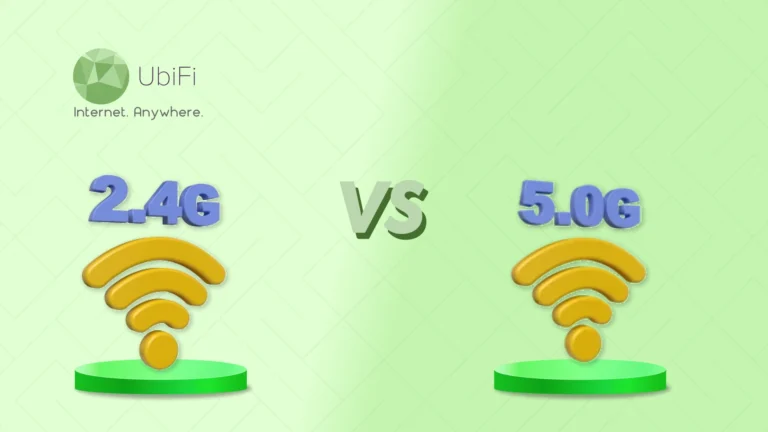
Understanding the Difference Between 2.4 GHz and 5 GHz Wi-Fi
Quick Summary
Wi-Fi performance doesn’t just depend on the internet plan; it also depends on whether your devices use 2.4 GHz or 5 GHz correctly.
2.4 GHz is built for range and stability, while 5 GHz is designed for speed and performance.
Walls, distance, and device type play a significant role in deciding which frequency works best.
Using both bands together gives the most balanced and reliable Wi-Fi experience at home.
Sidra Jefferi
10Minutes to read
Table of Contents
Most internet users think that WiFi performance depends only on the internet plan. However, they should know that it also depends on how your wireless network sends signals inside your home. The frequency that you choose also plays a significant role. 2.4 GHz and 5 GHz: these two wireless frequencies decide how far your WiFi reaches, how fast it is, and how it handles everyday use.
A higher frequency can move data faster, but it struggles to travel long distances or pass through walls. A lower frequency covers more space but trades off speed. In this blog, we’ll explain the difference between 2.4 GHz and 5 GHz in detail. So, let’s begin.
2.4 GHz vs 5 GHz Wi-Fi: A Detailed Comparison Table
Below is a quick 2.4 GHz vs. 5 GHz comparison table that highlights the key difference.
Aspect
2.4 GHz
5 GHz
Speed
Moderate speeds for everyday use
Higher speeds for demanding tasks
Range
Covers larger areas
Best within shorter distances
Wall Penetration
Handles walls and obstacles well
Struggles with solid barriers
Interference
More prone to congestion
Cleaner and less crowded
Device Support
Works with almost all devices
Requires newer devices
Best Use Case
Whole-home coverage and stability
Fast performance near the router
What does 2.4 GHz mean?
2.4 GHz is the wireless frequency your Wi-Fi router uses to send internet signals through the air. The term “gigahertz” describes how fast those radio waves move. In this case, 2.4 GHz means the signal operates at 2.4 billion cycles per second. This is a standard frequency used for wireless communication worldwide.
When your router uses 2.4 GHz, it creates a wireless signal. Devices such as phones, laptops, smart gadgets, and even systems used for streaming TV without cable can connect to it without needing cables. This band has been part of Wi-Fi technology since the early days, which is why almost every Wi-Fi-enabled device supports it.
Pros and Cons of 2.4 GHz Frequency
Pros of 2.4 GHz Frequency
Cons of 2.4 GHz Frequency
Better penetration through walls and solid objects
Slower data transfer speeds
Longer wavelength allows broader coverage
Higher interference due to many devices
Maintains connection over longer distances
Congested channels affect performance
Works reliably with older and basic devices
Not ideal for heavy bandwidth usage
What does 5 GHz mean?
5 GHz refers to a higher wireless frequency that a router uses to deliver internet signals. The number simply describes how fast those radio waves operate, five billion cycles per second in this case. This higher frequency allows data to move more quickly between your router and your devices, which directly shapes how responsive your connection feels.
When your device connects to a 5 GHz network, it communicates over a cleaner and more focused wireless path. This band was introduced to meet modern internet needs, where video streaming, cloud work, and large downloads are common. Most newer phones, laptops, and smart TVs support this frequency.
Pros and Cons of 5 GHz Frequency
Pros of 5 GHz Frequency
Cons of 5 GHz Frequency
Higher data transfer speeds
Shorter wavelength
Handles heavy internet usage smoothly
Limited range compared to lower frequencies
Less wireless congestion
Weaker penetration through walls and objects
Cleaner signal for modern devices
Performance drops over distance
Key Differences Between 2.4 GHz and 5 GHz Wi-Fi
Choosing between 2.4 GHz and 5 GHz requires understanding your everyday WiFi usage. Each frequency behaves differently, and those differences directly decide speed, coverage, and reliability in homes.
Speed
2.4 GHz supports lower data speeds and is designed for consistency rather than performance. It works well for everyday tasks like browsing, emails, and light app usage.
5 GHz is built for faster data transfer. It easily handles streaming, video calls, and downloads. Pages load faster, and actions feel more immediate.
Verdict: If speed is your priority, 5 GHz delivers a smoother, faster experience.
Range
The 2.4 GHz signal has a better range and consistency. It remains usable in distant rooms and across multiple floors.
5 GHz signal strength drops faster with distance. It performs best when you are closer to the router.
Verdict: For larger homes or long-distance coverage, 2.4 GHz is the better choice.
Penetration
2.4 GHz frequency passes through walls, doors, and solid structures with less signal loss. It maintains a stable connection even with physical barriers.
Obstacles make 5 GHz signals weaker more quickly. Thick walls or furniture can significantly reduce performance.
Verdict: 2.4 GHz is more reliable when obstacles are unavoidable.
Types of Devices
2.4 GHz frequency is commonly used by smart home devices, printers, and older phones or laptops. These devices rely on stable connections rather than high speed.
5 GHz is designed for modern devices like newer smartphones, laptops, gaming consoles, and smart TVs. These devices benefit from higher speeds.
Verdict: Match the band to the device type for best results.
Channel Availability
2.4 GHz works on fewer channels, many of which overlap. This often creates interference from nearby networks.
5 GHz offers a wider range of channels with less overlap. This reduces interference and improves consistency.
Verdict: 5 GHz provides a cleaner and less crowded wireless connection.
Compatibility
2.4 GHz is supported by almost every Wi-Fi-enabled device, regardless of age. It remains the most universally accepted band.
5 GHz is mostly supported by newer hardware that supports modern Wi-Fi standards. Older devices may not detect it.
Verdict: 2.4 GHz wins when broad compatibility is essential.
Simply put, 2.4 GHz focuses on reach, stability, and works with more devices, making it reliable across a larger area. 5 GHz prioritizes speed and clarity, delivering better performance for modern devices near the router.
Summing Up
The choice between 2.4 GHz and 5 GHz depends on how you use the internet. 2.4 GHz offers better coverage, stability, and compatibility, making it dependable in larger spaces with walls. It’s suitable for everyday tasks and supports a wide range of devices.
On the other hand, 5 GHz is designed for speed and cleaner performance. Choose it when you need fast responses for streaming, video calls, and modern devices used closer to the router. With less interference and more available channels, it delivers a smoother experience. Used correctly, both frequencies can work together for a balanced WiFi network.
If you want an internet connection that truly matches your needs, explore our plans and find a solution designed for your home, devices, and daily usage.
FAQs on 2.4 GHz vs. 5 GHz Wi-Fi
Is 2.4 GHz better than 5 GHz?
5 GHz is usually better for high-speed performance, streaming, and gaming. It supports faster data transfer and experiences less interference from appliances. On the other hand, 2.4 GHz has better range and can go through walls. This makes it a good choice for larger homes, outdoor coverage, and low-bandwidth devices like smart home products.
Does 5 GHz Wi-Fi go through walls?
Yes, but not very well. The 5 GHz signal quickly becomes weak when it passes through walls or solid objects. It performs best in open spaces and nearby rooms. For rooms farther away, 2.4 GHz usually holds up better.
Should I use 2.4 GHz or 5 GHz at home?
Use 5 GHz for tasks that need a lot of speed, like streaming or gaming, when you are near the router. Choose 2.4 GHz for better range, especially in larger homes or for smart devices that are further away. Most homes benefit from using both bands together.
What is the difference between 2.4 ghz and 5ghz WiFi?
2.4 GHz and 5 GHz are two WiFi frequency bands that serve different purposes. 5 GHz offers faster speeds and is less impacted by interference. This makes it great for streaming, gaming, and devices that use a lot of bandwidth. On the other hand, 2.4 GHz provides a wider coverage area and works better through walls. This band is more suitable for rooms that are far away, outdoor areas, or devices that use less bandwidth, like smart home gadgets. Choosing the right band depends on whether you want speed or range.
How do I tell if my Wi-Fi is 2.4GHz or 5GHz?
Check your Wi-Fi network name for labels like “2G” or “5G,” or look at your device’s network details to see the frequency or channel. Channels 1–13 indicate 2.4 GHz, while channels 36 and higher indicate 5 GHz. You can also log into your router to find this information clearly.
Can I use both 2.4 and 5GHz at the same time?
Yes. Most modern dual-band routers broadcast 2.4 GHz and 5 GHz at the same time. This allows newer devices to connect to the faster 5 GHz band with low interference, while older or more distant devices can stay on 2.4 GHz for better range and stability.
Is it better to connect to 5 GHz or 2.4 GHz Wi-Fi?
Neither is always better. 2.4 GHz is great for longer range and going through walls, while 5 GHz is better for faster speeds and less interference nearby. The right choice depends on the distance, obstacles, and what you’re doing online.
Sidra Jefferi
Sidra Jefferi is the Marketing Director at UbiFi with deep expertise in corporate actions and a strong understanding of both international and domestic markets. She combines her analytical skills and attention to detail with strategic marketing leadership to help expand UbiFi’s mission of delivering reliable internet to rural and underserved communities.
Internet That Moves With You — Plans Begin at $89.99/mo
Stay online from rural areas or anywhere on the road.