Most people don’t question the extra monthly fee their internet provider charges for equipment. It’s convenient, so they go along with it. But over time, that small fee quietly stacks up into a significant amount.
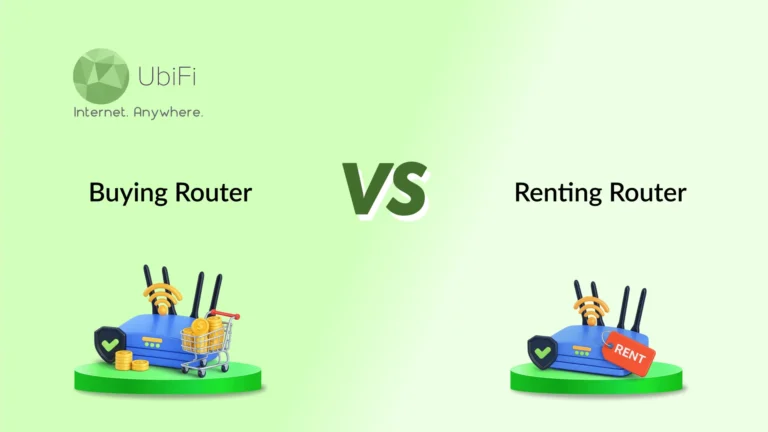
Then people start wondering if there’s a smarter way to set up their home network. When they explore options, they compare buying a router vs renting it. The confusion comes from two factors: ease and control. Renting requires minimal effort. Buying gives you more control over performance and long-term costs. Both have their place, depending on your needs.
In this blog, we’ll compare both options to get an internet router. This comparison will help you decide what makes the most sense for you. So, let’s start.
Why & When You Should Buy a Router
If you plan to stay in one place and want control over your internet, not just the way your provider sets it up, buying a router makes more sense.
Save on monthly fees
Most providers charge around $10-$15 per month for a rented router. That may not feel like much, but it adds up quickly. Within a year, you’ve already paid close to the cost of owning a good device. After that, it’s just an ongoing expense with nothing to show for it.
For better speed and a stable connection
Rented routers are usually basic models meant to work “well enough” for most users. When you buy your own, you can choose a router that matches your internet plan and home size. This is more important in rural setups where signal strength and consistency can vary across rooms.
Multiple devices or heavy usage
Streaming, video calls, smart TVs, and security cameras all run at the same time. A good personal router handles multiple connections better, without slowing down. You get stronger coverage and fewer drop-offs, especially in larger homes.
More control over the network
Owning your router gives you access to settings that rented devices often limit. You can manage your WiFi name, security, parental controls, and even prioritize certain devices. This helps maintain a reliable connection for work or daily use.
Long-term stay
Buying makes the most sense when you’re settled. You avoid repeated rental charges and get steady performance without depending on provider-issued hardware.
Separate devices for better reliability
Using a separate modem and router (instead of a combo unit) often gives better results. If one part needs an upgrade, you don’t have to replace everything. You can select a more powerful router without being stuck with bundled equipment.
Comfortable with basic setup or willing to learn
Setting up a router today is easy. Most devices come with simple apps and step-by-step instructions. If you’re okay spending a little time on setup, the long-term benefits are worth it.
In short, buying a router is best if you want long-term savings, better performance, and have more control over your home internet.
Cons of Buying a Router
Buying your own router gives you more control over your internet setup, but it also comes with a few responsibilities that are easy to overlook at first.
- Higher upfront cost: You need to invest in the device up front. It saves money later but feels expensive at first.
- You handle repairs and replacements: If the router is out of warranty, you’ll need to replace it yourself. There’s no automatic swap like with rented equipment.
- Limited support from your ISP: Most providers won’t troubleshoot issues beyond basic connectivity if you’re using your router. You may need to handle setup or minor issues on your own.
- Set up responsibility: Modern routers are easier to install now, but you still need to follow the setup steps correctly. In some cases, you may need help if you’re not comfortable with basic networking.
- Technology gets outdated: Internet standards evolve. After a few years, you may need to upgrade to keep up with higher speeds or better coverage.
In short, buying a router saves money and gives better performance, but it puts control and responsibility in your hands. If you’re okay managing your setup, the long-term benefits usually outweigh the downsides.
Why & When You Should Rent
Renting makes sense when you want things to just work without spending time or effort on setup and maintenance. It’s built for convenience, not control.
Simple, no-hassle setup
Your provider gives you the device, sets it up, and keeps it running. You don’t have to check compatibility or worry about technical details.
Built-in support and replacements
If something stops working, the ISP usually replaces it for free. There’s no need to fix or buy a new device yourself.
Switch providers or move soon
If you don’t plan to stay long, renting helps you avoid the risk of buying equipment you may not use later. Different connections (cable, fiber, DSL) need different hardware.
Automatic upgrades over time
When your rented device becomes outdated, many providers upgrade it. This helps you stay compatible with network changes without extra effort.
Plan includes bundled services
If you use the internet with phone or TV services, your provider may require specific equipment. Renting ensures everything works well together.
Someone else is covering the cost
In shared housing or employer-paid connections, renting is easier. The monthly fee becomes less of a concern.
In short, renting is about ease and support. You pay long-term savings for convenience and peace of mind. It works best when your setup is temporary, or you don’t want to manage equipment.
Cons of Renting a Router
Renting a router keeps things simple on the surface, but there are a few trade-offs that only become clear over time.
- Ongoing monthly cost: The biggest downside. A small fee becomes expensive over time, often exceeding the cost of owning a better router.
- Limited performance and hardware quality: ISPs usually give standard routers for basic use. You may not get the best speed, range, or support for multiple devices.
- Restricted control over settings: Advanced features are often locked or limited. This makes it harder to customize your network.
- No ownership value: All payments go toward usage only. You never own the device, no matter how long you pay for it.
- Possible outdated equipment: Not all providers offer the latest models. You might be using older hardware that doesn’t fully support newer speeds or technologies.
- Less flexibility if you switch providers: The rented device is tied to one ISP. You can’t reuse it if you move or change services.
In short, renting eases the burden and provides support, but it costs more over time and limits your control. It works well for simplicity, but not for long-term value or performance.
Tips for Buying Your Own Equipment
Checking a few things before you buy a router can save you from slow speeds, setup issues, and money wastage.
- Check ISP compatibility before buying your router.
- Match your router’s speed to your internet plan.
- Choose a router based on your home size.
- Prefer newer WiFi standards like WiFi 6.
- Decide between a combo or a separate modem-router setup.
- Check ports and essential router features carefully.
- Plan proper setup and ISP activation process.
- Choose a router that supports future needs.
This way, you buy once, and it actually works the way you expect.
Looking for a High-Speed Internet Router?
Checkout UbiFi F1Wrapping Up
The choice between buying and renting a router comes down to what you value more. Buying makes sense when you want better speed, stable coverage, and freedom to manage your network your way. Renting works when you prefer a hands-off setup, quick replacements, and no tech hassle. Both options serve a purpose, but they fit different needs.
For most homes, especially in areas where connectivity matters every day, the right setup can make a noticeable difference in speed, reliability, and overall experience. Take a moment to look at your usage, your living situation, and how long you plan to stay. It will help you make a better choice.
If you want reliable performance with the setup that suits you best, explore UbiFi plans today!
FAQs
Is it better to buy your own router?
In most cases, yes. Buying saves money over time and gives you better control over speed and coverage. It works best if you plan to stay long-term and want steady performance.
Does a more expensive router make a difference?
It can, but only if your usage demands it. Higher-end routers handle more devices, offer better range, and faster speeds. For basic use, a mid-range router is enough.
What does putting aluminum foil around a router do?
It can reflect and direct WiFi signals in a certain direction. Some people use it to boost coverage in specific areas. However, it’s not a reliable or permanent solution.
Is there a monthly fee for a router?
Only if you rent it from your provider. Buying your own router removes this fee. That’s why many users switch to ownership after a year or two.