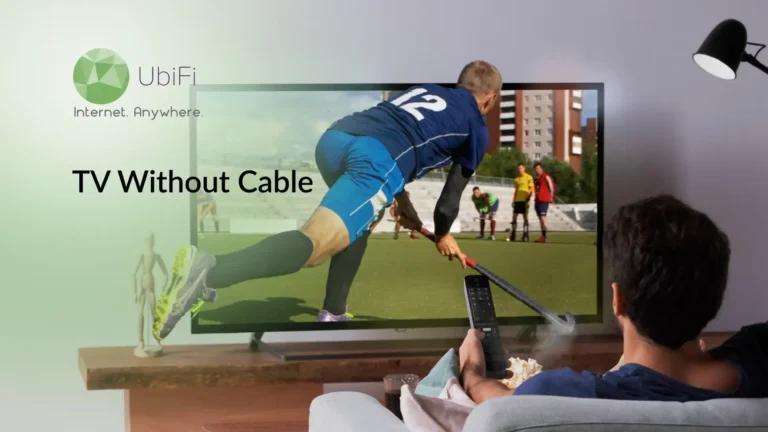
How to Watch TV Without Cable: Best Cable Alternatives That Work
Quick Summary
You can watch TV without cable using streaming services, live TV apps, and free OTA channels that offer local news, sports, and on-demand content.
Cutting the cord saves money and gives you control. Cable bills are expensive and often include channels you don’t watch.
Getting started is simple and affordable. All you need is a stable internet connection, a smart TV or streaming device, and the right mix of services.
The best cable-free setup is a smart combination of options such as Antennas, streaming apps, live TV services, and media players, each serving a purpose.
Sidra Jefferi
13Minutes to read
Table of Contents
Cable TV is popular, and most of us have watched many different shows on it. But the situation isn’t the same today. Many viewers now prefer watching shows on different devices because it’s more convenient. This makes the high cable TV bills hard to justify. On top of this, prices are constantly rising, and you often pay for channels you never watch.
Most users want to watch TV without wasting money or signing long-term contracts. They want local channels, live sports, and on-demand shows. But how do they do it? In this blog, we’ll understand how to see TV without cable and explore the best alternatives to do so. Let’s start with the basics!
Check Ubifi Internet Availability in Your Area
Enter your zip code below to explore our plans and pricing.
Why Should You Go Wireless?
Cutting the cord is a smart choice today. It gives you more control over how you watch TV and what you pay for it.
Cost Saving: Cable TV bills are constantly increasing. The total amount includes base prices, fees, and “extras” charges that increase the prices. But when you choose the stream, this completely changes. Most streaming services cost far less, and you only pay for what you want. The savings are immediate.
Flexibility: With a cable TV plan, many channels that you never watch are bundled. But with wireless internet services, you can choose based on your preferences, such as sports, news, movies, or kids’ shows, whatever you like.
Control: You control everything in wireless services. If you don’t need the services, you can cancel them at any time. There are no contract issues.
Accessibility: Wireless TV works on your schedule. You can watch it at home, on your phone, or on your tablet. You can also watch it when you’re traveling.
In short, going wireless helps you save money and offers better control and access. Once you switch to these services, it’s challenging to go back to a wired connection, as it feels like a total waste of money.
What You Need to Watch TV Without Cable
To watch TV without cable, you just need very basic equipment.
For the internet to reach your TV, you need a streaming device. Many modern TVs already have streaming apps built in. If yours doesn’t, a small streaming device does the job. Plug it in, connect to Wi-Fi, and you’re set. These devices are affordable, easy to use, and built for everyday viewers.
3. Streaming Service Package
This is where you can choose based on your needs. You subscribe only to the services that include what you watch. It can be movies, live TV, sports, news, or on-demand shows. You can add or drop services at any time.
With these in place, you can see TV without cable. This equipment won’t cost you much.
Best Alternatives to Watch TV Without Cable
There are different options available that will let you watch TV without cable. To make a wise choice, you should pick the one that matches your preferences the most. Below are the most common methods.
Over-the-Air (OTA) Broadcasts
This is the least popular option but one of the most reliable ones. It uses an indoor or an outdoor antenna to give you free access to local channels in full HD, including major networks, local news, and live sports. There is no monthly fee, and the internet is also not required. For many households, OTA works better for daily viewing than cable ever did, especially for local content.
Streaming Services
On-demand streaming gives you control. You watch shows when you want, not when they air. These services focus on quality libraries and original content. This is a cost-effective choice, and you can cancel it at any time. You can subscribe for a month, watch what you want, then move on. That kind of flexibility keeps costs low.
Live TV Streaming Services
If you want to watch live TV, these services are perfect. You can stream live channels over the internet, including news and sports. The picture quality is strong, and DVR features are often built in. The expert tip is to compare channel lineups carefully. Small differences matter depending on what you watch.
Internet-Based TV Services (Sling TV, YouTube TV, Hulu + Live TV, etc.)
These platforms are the closest cable replacements. They combine live TV with on-demand libraries in one place. You get cloud DVR, multiple profiles, and device access. They are effortless to use. There is just one app, and you need to pay bills monthly.
Digital Media Players and Smart TVs (Roku, Amazon Fire TV, Apple TV)
These devices connect to your TV using the HDMI port and let you watch popular content from different platforms. If you have a smart TV, you won’t even need an additional device, as they come with built-in capabilities.
Each option serves a purpose. When appropriately combined, they replace cable completely and often do so better.
Tips for a Smooth Transition to Cable-free TV
Moving to cable-free TV may be a big step. To make it easier for you, below are some tips to help the transition go more smoothly.
Try Different Services
Most streaming services offer free trials. Use them. Watch at different times of day. Test live TV, DVR, and on-demand shows. Real use reveals real value.
Mix & Match Based On Needs
Suppose a single service is not covering everything; you can combine the options to get what you need. You can choose one for live TV, one for movies, and one for originals. You’ll still spend less than on cable.
Check Your Connection
Streaming depends on a steady connection. If video buffers or drops, check your plan. A modest upgrade often fixes the issue and improves every device in your home.
Improve Wi-Fi signal
Router placement matters more than people think. Keep it central and raised. If certain rooms struggle, a Wi-Fi extender can make a noticeable difference.
Set Up Personal Profiles
Profiles keep viewers’ experience clean and personal. Everyone gets their own watchlist, history, and recommendations. It avoids clutter and makes the experience feel familiar fast.
Smart testing, flexible service choices, a good internet setup with good internet speed, and personal profiles make switching to cable-free TV simple and stress-free.
Cut the Cord Without Losing Your Favorite Shows. Stream Smoothly with UbiFi.
Today, cable subscription is no longer the only way to watch TV. There are newer options that give you more freedom, lower costs, and better control. From free local channels to flexible streaming services, you can build a TV setup that matches your preferences.
To get started, you need a good internet connection and the right combination of services. Use smart devices to bring it all together. Once you make the switch, watching TV feels more personalized and easier to manage. And you will save money as well. So if you’re ready to cut the cord, explore our plans to get reliable internet so you can watch TV without cables.
FAQs on How to Watch TV Without Cable
When is the best time to cut the cord?
The best time to switch is when your cable bill rises or your contract ends. That’s when switching costs nothing and savings start immediately. Many people also cut the cord after seeing what they actually watch. If most of your viewing is streaming-friendly, there’s no reason to wait.
How can I watch ABC, CBS, and NBC without cable?
You can watch ABC, CBS, and NBC without cable by using a digital antenna to receive free over-the-air broadcasts available in your area. Another option is to subscribe to a live TV streaming service like YouTube TV, Hulu + Live TV, or DirecTV Stream. Network apps like Paramount+ (CBS) and Peacock (NBC) also offer some live and on-demand content, but an antenna or live streaming service gives you the most complete access.
What is the best option for TV without cable?
The best way to watch TV without cable is to use a digital antenna for free local channels like ABC, CBS, NBC, and Fox. You can then add streaming services for on-demand and live content. Platforms like Netflix, Hulu, YouTube TV, or Sling TV work well on smart TVs or devices like Roku or Apple TV. This setup gives you a cable-like experience at a lower cost and only needs an internet connection for streaming.
Can I get rid of cable and still watch TV?
Absolutely. By using digital antennas, streaming devices, and free apps, you can access most of the content that used to be available only on cable. Many networks provide free or low-cost streaming services, and OTA signals cover local channels. This method can save you money while still allowing you to enjoy entertainment, news, and sports.
Can you watch live sports without cable?
Yes, you can watch live sports without a cable subscription. You have options like network apps, streaming services, and sports-specific packages such as ESPN+, fuboTV, or Peacock. Some major events are also broadcast over-the-air with a digital antenna, letting fans watch live games without paying for traditional cable packages.
Is it possible to watch live TV without cable or internet?
Yes, you can watch live TV without a cable or internet connection by using over-the-air (OTA) antennas. These antennas receive free broadcast signals from local channels, giving you access to news, sports, and entertainment. The quality of the signal depends on your location, the type of antenna, and the strength of the signal, but it’s a reliable way to enjoy live TV without a subscription or internet.
How can I watch the local news without cable?
You can watch local news without cable by using a free over-the-air antenna to access major networks like ABC, CBS, NBC, Fox, and PBS. Many local stations also provide live streams and on-demand clips through free apps like NewsON, Local Now, or their own station apps. Live TV streaming services like YouTube TV, Hulu + Live TV, and Fubo are another option if you want local channels along with broader coverage.
Is there anything I can watch on TV without internet?
Yes! You can access TV without internet through over-the-air (OTA) broadcasts using a digital antenna. This lets you watch major local networks like ABC, NBC, CBS, and FOX for free. Many channels also offer pre-recorded shows and local programming, so you can enjoy TV without a subscription or internet connection.
How can I watch live TV on a smart TV without cable?
You can watch live TV on a smart TV without cable by connecting an HD antenna directly to the TV. This lets you receive free local broadcast channels, including live news and sports, without a monthly subscription.
Sidra Jefferi
Sidra Jefferi is the Marketing Director at UbiFi with deep expertise in corporate actions and a strong understanding of both international and domestic markets. She combines her analytical skills and attention to detail with strategic marketing leadership to help expand UbiFi’s mission of delivering reliable internet to rural and underserved communities.
Internet That Moves With You — Plans Begin at $89.99/mo
Stay online from rural areas or anywhere on the road.