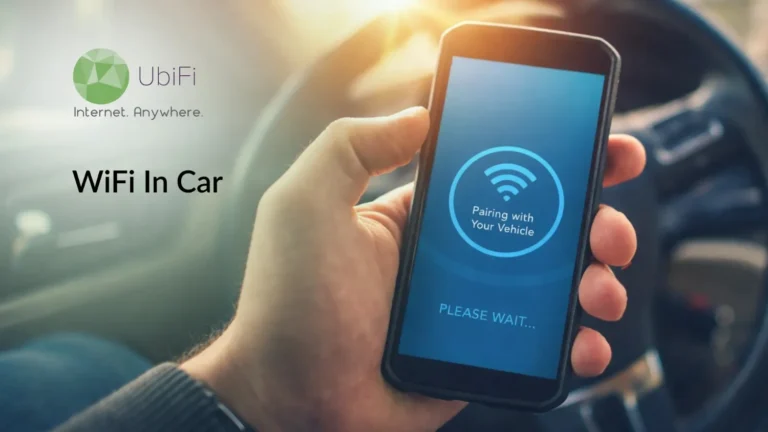
How to Get WiFi in Your Car: Complete Guide to Internet on the Go
Quick Summary
Car WiFi keeps passengers connected for work, streaming, navigation, and travel.
Get internet using hotspots, routers, OBD-II devices, or built-in vehicle WiFi.
Compare coverage, data plans, costs, and connected devices before choosing.
Portable hotspots and routers offer stronger, more reliable connections than phone hotspots.
Secure your connection with encrypted networks, software updates, and VPN protection.
Sidra Jefferi
13Minutes to read
Table of Contents
Internet connectivity has become a necessity. You need it in more ways than you realize. And when you’re driving, having reliable in-car internet can be really helpful. You can use it for entertainment, navigation, and staying informed about the traffic conditions.
But not all cars have direct internet access. So, you might be wondering how to stay connected on the go. Luckily, there are various ways to do so. In this blog, we’ll cover how to get WiFi in a car. Let’s begin.
What Is Car WiFi?
Car WiFi is a wireless internet connection in your vehicle. Instead of using your phone’s data or searching for a signal while driving, car WiFi creates a dedicated hotspot. It’s like bringing your home network with you, whether you are on a thirty-minute commute or a cross-country road trip.
How Does Car WiFi Work?
Car WiFi connects to a cellular network and broadcasts a WiFi hotspot inside your vehicle. It can come from a built-in modem, a portable router, or an OBD WiFi dongle. As long as there’s cellular coverage, passengers can browse, stream, work, and stay connected from any seat.
Why Do You Need WiFi in Your Car?
In-car WiFi keeps you connected for work, entertainment, navigation, and connected vehicle features while you’re on the move.
Connecting Socially: Browse social media, stream videos, play online games, and stay connected on devices without cellular data.
Working Remotely: Access a reliable connection for video meetings, emails, cloud apps, and collaborative work on the go.
Lifestyle Choice: Travel, commute, or take road trips without relying on your phone’s hotspot or battery.
Updating on the Go: Send live location, traffic, and estimated time of arrival updates in real time.
Entertainment: Stream music, podcasts, movies, and TV shows to keep every passenger entertained on long trips.
Safety and Convenience: Support connected safety features, emergency assistance, and internet-enabled ADAS capabilities.
Software Updates: Download over-the-air (OTA) updates for bug fixes, infotainment system, new features, and improved vehicle performance.
Connected Services: Enable app-based remote functions such as climate control, vehicle access, and geofencing.
In short, car WiFi delivers reliable connectivity for work, entertainment, navigation, safety, OTA updates, and connected vehicle services.
Pro Tip: During long drives, connect to public WiFi at restaurants or libraries when you take pit stops.
How to Get WiFi in Your Car? Exploring Every Pathway
There are several ways to get WiFi in your car, depending on your budget, connectivity needs, and the number of devices you want to connect.
Mobile Hotspot
The easiest option. Enable your smartphone’s hotspot to share its cellular data with laptops, tablets, and other devices. It’s convenient but uses your phone’s battery and data.
Go to Settings > Cellular > Personal Hotspot, enable Allow Others to Join, then connect your devices like any WiFi network.
Pros
No installation required.
Connect multiple devices.
Cons
Uses phone battery and data.
Connection may weaken during calls or heavy use.
Android Phone Hotspot
Go to Settings > Network & Internet > Hotspot & Tethering > WiFi Hotspot (menu names may vary), then connect your devices.
Pros
No installation required.
Supports multiple devices.
Cons
Drains phone battery and data.
Heavy usage may weaken the connection.
Portable Hotspot
A battery-powered MiFi device with its own SIM card and data plan. It provides a stronger, more stable connection without using your phone’s battery or data.
Plugs into your car’s OBD-II port to create a WiFi hotspot whenever the engine starts. Many models also offer vehicle diagnostics, maintenance alerts, roadside assistance, and crash response.
Pros
WiFi plus vehicle diagnostics.
Supports multiple devices.
Cons
Fixed inside the vehicle.
Older cars may not have an OBD-II port.
Wireless Router
A dedicated in-car router designed for reliable, high-speed internet. It offers the strongest signal and supports multiple devices, but costs more and may require professional installation.
Pros
Fastest internet speeds.
Supports up to 20 devices.
Cons
Some models require a separate modem.
Relatively expensive.
Here’s a quick comparison of some of the most popular mobile Wi-Fi routers:
Router Brand/Model
Starting Price
Speed
Best Feature
Setup
Best For
UbiFi NetLink Router
From $89.99/mo (bundled w/ cellular service)
Up to 2 Gbps peak
Bundled data plan, no separate SIM shopping
Plug-and-Play
Rural drivers, RV travelers, mobile internet users
Netgear Nighthawk (M6 / M6 Pro / M7)
~$300–$900 (hardware only)
5G, up to 4 Gbps peak
Touchscreen, swappable SIM, eSIM marketplace (M7)
Easy, app-guided
Travelers, backup internet, power users
GL.iNet GL-X3000 (Spitz AX)
~$200–$250 (hardware only)
Wi-Fi 6, 5G up to ~3 Gbps combined
Dual-SIM failover, OpenWrt customization
Moderate
Road trips, RVs, rural travel, DIY users
Cudy P5 (AX3000)
~$400–$450 (hardware only)
5G up to 3.4 Gbps
High 5G throughput, dual SIM support
Moderate
Road trips, rural areas, heavy users
TP-Link Archer MR600
~$100–$150 (hardware only)
4G LTE / Wi-Fi 5
Affordable LTE connectivity
Very easy
Budget buyers, basic internet access
MOFI4500 / MOFI6500
~$250–$400 (hardware only)
Cat 12–Cat 20 LTE/5G
Rugged metal chassis, advanced LTE controls
Advanced
Rural travel, RVs, weak-signal areas
Peplink (Balance/MAX series)
~$400–$1,000+ (hardware only)
5G/4G, multi-WAN bonding
SpeedFusion multi-WAN bonding
IT-managed
Fleet vehicles, mobile businesses, mission-critical connectivity
Cradlepoint IBR Series
~$700–$1,200+ (hardware) + NetCloud subscription
5G/4G LTE
Rugged in-vehicle connectivity
IT-managed
Fleet vehicles, public safety, commercial fleets
Public WiFi
Connect to free networks at libraries, cafés, malls, or other public places while parked. Suitable for quick internet access but slower and less secure.
Many newer vehicles include a built-in hotspot. Simply activate the manufacturer’s data plan. Some brands also offer free trials and connected features like navigation, live traffic, and satellite radio.
Pros
No extra hardware.
Includes connected vehicle services.
Cons
Requires a subscription.
Dedicated WiFi Dongle
A WiFi dongle plugs into your car (usually via USB) to create a dedicated hotspot. Some models have rechargeable batteries, while others draw power from the vehicle.
Pros
Easy to install.
Doesn’t rely on your phone.
Cons
Only provides WiFi connectivity.
In short, you can get WiFi in your car using a smartphone hotspot, a portable hotspot, an OBD-II device, a wireless router, a WiFi dongle, a built-in hotspot, or public WiFi while parked.
Things to Consider Before Getting WiFi in Your Car
Not every car’s internet setup delivers the same experience. Before deciding how to get WiFi in your car, compare these key factors to choose the option that best fits your driving habits.
Coverage
If you frequently drive through rural areas or places with weak reception, check the provider’s coverage map before choosing a device or data plan.
Cost
Some options only require a one-time purchase, while others need a monthly data plan or subscription. Compare both upfront and recurring costs to find a setup that matches your budget and internet usage.
Data Requirements
Browsing and navigation use relatively little data, while streaming videos, downloading files, and connecting multiple devices can consume significantly more. Choose a data plan that suits your typical usage.
Number of Connected Devices
If multiple passengers regularly connect phones, tablets, laptops, or gaming devices, choose a solution that maintains stable speeds across multiple simultaneous connections.
The right setup depends on how and where you drive. Next, we’ll discuss more ways to get wifi in a car.
Other Ways to Stay Connected on the Road
If you’re exploring how to get WiFi in your car, a dedicated in-car hotspot isn’t your only option. Depending on where you travel and how often you need internet, these alternatives may be a better fit.
Satellite Internet for RVs
Where cellular coverage is limited, the most advisable way would be satellite internet for RVs and other long-distance travel setups. It offers wider coverage than mobile networks but typically works best when the vehicle is stationary. The equipment and service costs are high.
USB Tethering
If you only need internet on one device, USB tethering is a practical alternative to in-car WiFi. Use your USB cable to connect your smartphone to a laptop or the infotainment system if it’s compatible, delivering a stable, secure connection while charging your phone simultaneously.
Bluetooth Tethering
Bluetooth tethering lets you share your phone’s mobile data without turning on a WiFi hotspot. While it’s slower than WiFi or USB tethering, it uses less battery and is suitable for email, messaging, and light web browsing.
Cellular Signal Boosters
A cellular signal booster strengthens weak cellular signals, helping improve internet performance in low-coverage areas. It doesn’t create internet on its own, but it can make phone hotspots, mobile routers, and in-car WiFi more reliable where signal strength is poor.
With the right setup in place, you’re ready to stay connected wherever the road takes you.
Closing Lines
Internet access is becoming essential for navigation, safety, and entertainment. Options range from the convenient mobile hotspots to portable MiFi and built-in car WiFi, offering solutions for varying budgets and needs.
Getting unlimited internet in your car usually involves using a cellular-based solution instead of public WiFi or phone hotspots. Most people use a dedicated 4G/5G LTE mobile router with a data plan that suits vehicle use. This setup connects to nearby cell towers and gives a stable WiFi signal inside your car. It works well for navigation, streaming, remote work, and for passengers using several devices while traveling.
Can you buy a car with built-in WiFi?
Yes. Many newer vehicles include a built-in WiFi hotspot with no extra hardware. It supports multiple devices, often offers a stronger connection than a phone hotspot, and may include services like live traffic and satellite radio. Ask about free trials and monthly data plan costs.
Will my car’s WiFi work when the engine is turned off?
Usually, yes. As long as the vehicle is in the On, Run, or Accessory mode, the hotspot should work. However, leaving it on for too long without the engine running can drain the battery.
How to get free WiFi in your car?
The easiest way is to park near a public WiFi hotspot, such as a library, café, mall, or park. You can also use your phone’s hotspot, but it uses your mobile data unless your plan includes unlimited hotspot access.
Is there a way to get WiFi in your car?
Yes. If you’re wondering how to get WiFi in your car, you can use a smartphone hotspot, a portable hotspot, an OBD-II device, a dedicated router, a WiFi dongle, or a built-in vehicle hotspot with a compatible data plan.
Is it better to use a hotspot or in-car WiFi?
In-car WiFi is better for frequent travel and multiple devices because it offers a more reliable connection without draining your phone’s battery. Phone hotspots are better for occasional use, while portable hotspots offer a balance of both.
How do I get WiFi in my car without a hotspot?
Use a dedicated mobile router, an OBD-II WiFi device, a built-in vehicle hotspot, a WiFi dongle, or satellite internet for off-grid travel. Most require a separate data plan.
Is it safe to use my car’s WiFi for banking?
Yes, if the network is secured. Keep your vehicle software updated, use a VPN for sensitive activities, and avoid open or public WiFi networks for banking or personal information.
Sidra Jefferi is the Marketing Director at UbiFi with deep expertise in corporate actions and a strong understanding of both international and domestic markets. She combines her analytical skills and attention to detail with strategic marketing leadership to help expand UbiFi’s mission of delivering reliable internet to rural and underserved communities.
Internet That Moves With You — Plans Begin at $89.99/mo
Stay online from rural areas or anywhere on the road.