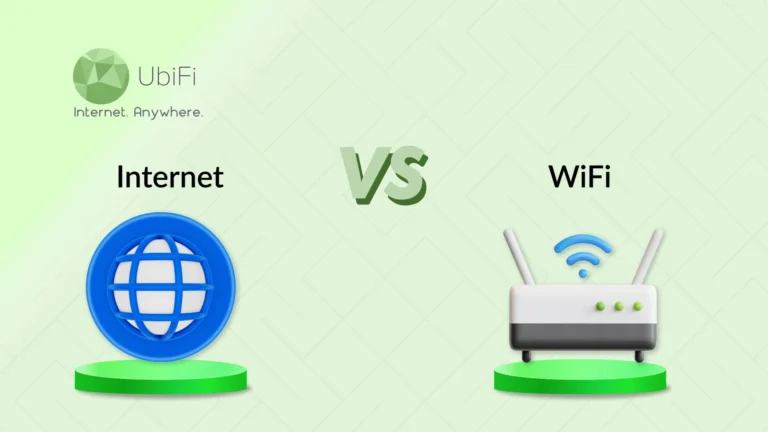
Understanding the Difference Between WiFi and Internet
Quick Summary
The internet is the main connection from your provider, while WiFi is only the wireless way your devices use that connection.
Slow speeds can come from either the internet or WiFi, and knowing which one is weak helps you fix the problem faster.
Wired connections give stable speed for heavy work, while WiFi offers freedom and easy access for daily use.
Simple steps like better router placement, updates, and reducing extra devices can improve your connection.
Sidra Jefferi
15Minutes to read
Table of Contents
People often consider the internet and WiFi to be the same thing. They’re probably using both daily. But if someone asked about the difference between the internet and WiFi, not many people could explain it.
Most of us use these terms interchangeably, which is fine until your connection drops. Then, knowing the real difference becomes necessary. It’s very important for fixing problems faster, buying the right equipment, and understanding what the customer support person is saying.
In this blog, we’ll compare the internet and Wi-Fi in detail based on key parameters. So, let’s start.
What is the Internet?
The internet is a vast network that connects computers, phones, servers, and digital systems. It carries data from one place to another, whether you’re opening a website, watching a show, or sending a message. Every online activity you do goes through this larger network, no matter what device you use.
Your provider connects you to the internet using fiber lines, cable, or other methods. The internet runs through big systems operated by providers, data centers, and network hubs across the country and the world.
How Does the Internet Work?
The internet moves information from one place to another through a chain of steps. Each step plays a role in getting data from one device to its destination and back.
You start by connecting through your ISP. For this, you can use Ethernet or WiFi; your device links to an Internet Service Provider. This gives you a path to the broader network.
Your data is broken into tiny packets. Every website request, video stream, or message is split into small packets so it can be sent quickly.
These packets move through routers and switches. Each device checks the packet’s address and decides where to send it next, almost like a postal system for digital traffic.
Packets travel across different physical lines. They may move through fiber-optic cables, copper lines, or wireless links, depending on your region and provider.
At the destination, the packets merge. Once all pieces arrive, they are reassembled into the original form.
The complete data is displayed on your screen.
This entire process happens in fractions of a second, giving you the sense of instant access even though the system is very complex.
Advantages and Disadvantages of Internet
The internet brings convenience, but it also carries a few challenges that users should keep in mind.
Advantages of the Internet
It gives instant access to information, from simple facts to deep research.
It connects people across states and countries through calls, messages, and video.
It supports work, learning, and remote collaboration with ease.
It opens doors to entertainment, from streaming to gaming.
It helps users manage daily tasks like banking, shopping, and scheduling.
It encourages innovation by linking creators, businesses, and services worldwide.
While the internet offers clear benefits, it also has drawbacks that every user should be aware of.
Disadvantages of the Internet
It can expose users to security risks if devices or accounts are not protected.
It may distract from work or routine if not used with discipline.
It can quickly spread false or misleading information.
It may create privacy concerns when websites track user behavior.
It can contribute to screen fatigue when used for long periods.
It can cause dependence, making offline tasks feel harder than they are.
The internet makes life easier by giving quick access to information, communication, work tools, and entertainment. But it also brings risks like security issues, distractions, privacy concerns, and overuse if not handled with care.
What is WiFi?
WiFi is the wireless link that lets your devices reach your home network without cables. It uses radio waves to carry data between your phone, laptop, or TV and the router. It keeps your devices connected as long as they stay within range.
You can find WiFi in houses, offices, cafés, and airports. Unlike a wired connection, WiFi isn’t restricted to one spot, making it practical for everyday use. It brings flexibility, convenience, and quick internet access.
How Does WiFi Work?
WiFi works by sending and receiving data through radio waves on two main bands, 2.4 GHz and 5 GHz. Your device uses a wireless adapter to convert its data into a radio signal, which the router picks up and passes to the modem and then out to the internet.
When information comes back, the process reverses. The router takes the incoming data, converts it into a wireless signal, and sends it to your device in a form it can read. All of this happens in seconds, giving you a smooth, cable-free connection.
Advantages and Disadvantages of WiFi
WiFi brings freedom and convenience to everyday internet use, but it also comes with limits that users should understand.
Advantages of WiFi
Connects you to the internet while allowing you to move through your space.
Supports multiple devices at once, such as phones and smart TVs.
Keeps your home free of cables and clutter.
Easy to set up and manage for most households.
Offers steady access for casual browsing, streaming, and light work.
Allows guests and family members to connect quickly when needed.
Although WiFi is practical, there are a few drawbacks that can affect your experience.
Disadvantages of WiFi
Signal gets weak with distance or walls.
May slow down when many devices use the same network.
Can face interference from appliances or nearby networks.
More exposed to security risks if not protected.
May struggle with high-bandwidth tasks compared to a wired line.
Sometimes it needs frequent resets when the signal becomes unstable.
WiFi lets your devices connect to the internet wirelessly, giving you freedom to move around without cables and keeping your space clean and flexible. But its strength can drop with distance, walls, or too many connected devices, and it may not stay as stable as a wired line during heavy use.
Comparing Internet vs WiFi in Detail
Below is a comparison table of the internet and WiFi across key aspects.
Aspect
Internet
WiFi
Definition
A global network that delivers data to your home through a service provider.
A wireless system that distributes the internet signal within your home or space.
Range
Works across long distances through your provider’s network.
Works only within your router’s coverage area.
Access
Wired and wireless
Wireless
Connectivity Types
Fiber, cable, DSL, satellite, mobile data.
Uses 2.4 GHz and 5 GHz radio bands.
Devices
Comes through a modem or gateway.
Directly affects the speed of Connects phones, laptops, TVs, and smart devices.
Speed
Depends on your plan and connection type.
Depends on router strength and distance.
Accessibility
Needs cables or network lines from your provider.
Accessible anywhere inside the WiFi range.
Technology
Runs through physical cables and large networks.
Run through radio waves in your local space.
Limitations
Can slow down during outages or provider issues.
Can weaken with walls, distance, or interference.
How the Internet and Wi-Fi Work Together
The internet and WiFi work together in a chain, with each part playing a different role. First, your internet service provider connects to your home via fiber, cable, or another line. This signal reaches your modem, which acts as the entry point for the internet. The modem then passes that signal to your router. The router turns it into a wireless network that your devices can join from anywhere within range.
Once your device connects to that WiFi network, it can reach the internet through the modem’s link. Modern routers also make your setup strong by adding security features like firewalls, encryption, and basic threat protection.
Choosing Between Wired and Wireless Connections
Finding the right type of internet connection depends on how you use the internet each day. Both options work well, but each solves a different need.
Choose Internet if
You want the most stable link for work that should not face interruptions, like video calls or trading platforms. A cable gives steady flow without sudden dips.
Your tasks involve heavy files, cloud backups, or long downloads. A wired line keeps speed constant.
You live in a crowded apartment block where many WiFi networks overlap. A cable helps avoid interference.
Your gaming setup needs the lowest possible delay. Ethernet removes the lags that WiFi often has.
Choose WiFi if
You move around the house with your phone or laptop, not a fixed desk.
You use many devices at once like TV, phone, smart speakers, and want them connected without running cables everywhere.
Your work is light and flexible, like browsing, notes, or streaming. Small speed changes won’t affect you.
You prefer a clean space with no wires on the floor or walls. WiFi keeps the room open and tidy.
In short, wired connections are best when you need strong, steady speed for heavy work, gaming, or places with a lot of signal crowding. WiFi is better when you want freedom to move, connect many devices, and keep your space simple without cables.
Tips to Improve Your Connection
A slow connection usually comes from small issues around your setup. Fixing a few of them can make your internet faster and more steady.
Keep your router in an open place: Avoid corners and closed shelves. When the router placement is accurate, the signal moves better through your home.
Use the 5 GHz band if your router has it: This band is less crowded than 2.4 GHz. It can give you better speed, especially if many people live nearby.
Disconnect devices you are not using: Old phones, smart lights, and other idle devices still use your WiFi. Removing them frees up space for the devices you actually use.
Update your router: Routers also need updates. A quick update can fix issues and improve performance without buying a new one.
Use a cable for heavy tasks: If you are uploading big files or joining long meetings, plug in a cable. It gives a stable connection with fewer drops.
Put simply, small adjustments can quickly improve your connection, like placing the router in an open spot or switching to the 5 GHz band for cleaner signal. Removing unused devices, updating the router, or using a cable for heavy work can also make your internet feel smoother and more stable.
Internet vs WiFi: Which is Better?
Knowing the difference between the internet and WiFi helps you understand why your connection slows down at times. The internet is the main line from your provider, and WiFi is the wireless signal inside your home. Once this is clear, it becomes easier to spot what is going wrong and what you can fix.
The internet controls the speed that enters your home, while WiFi can change how that speed behaves based on distance, walls, and the number of devices connected. Simple steps like moving the router, switching to a better band, or removing extra devices can improve your speed. Small changes often bring a faster and more stable connection.
If you’re looking for a smoother and more reliable experience, explore our plans and find the one that fits your daily needs.
FAQs on Internet vs WiFi
Which is faster, the Internet vs. WiFi?
The internet isn’t inherently slow or fast. Your speed relies on your internet plan and provider. Wi-Fi is the wireless connection in your home. It can be slower than a wired connection because of distance, interference, or limitations of the router. A strong internet plan combined with a modern router provides the best performance.
Can you use WiFi without the Internet?
Yes, you can use WiFi without the internet, but only for local tasks. Your devices can still talk to each other through the router, like sharing files or streaming from one device to another. But anything that needs the outside world, like browsing or apps, will not work.
Why do I have WiFi but no Internet connection?
This happens when your router is working, but the internet coming from your provider is down or weak. Your device can connect to WiFi, but the WiFi has nothing to pass on. It may be due to a loose cable, a modem issue, a service outage, or a router that needs a restart. Resetting both devices often helps.
Do I need both Wi-Fi and internet?
No, Wi-Fi and internet are not the same, and you don’t always need both. The internet is the actual connection provided by your ISP. Wi-Fi is how that connection is shared wirelessly in your home or office. You can have internet without Wi-Fi if you use a wired connection. However, Wi-Fi will not work without internet access.
Is it cheaper to use Wi-Fi or internet?
Wi-Fi is often more affordable since it comes with a home or office internet plan and doesn’t charge by the gigabyte. Wireless internet plans can be pricier, especially if you need a lot of data or faster speeds. For regular browsing and streaming, Wi-Fi usually provides better value.
Is the internet and Wi-Fi the same thing?
No, Wi-Fi and internet are not the same thing. The internet is the connection provided by your service provider. Wi-Fi is the wireless method your devices use to access that connection. You need an internet service to get online. Wi-Fi just helps share it within your home or office.
What’s the difference between Wi-Fi and the Internet?
Wi-Fi is a wireless technology that allows your devices to connect to a local network. The Internet is the global system of servers and networks that provides online access. Wi-Fi does not create internet access on its own; it only delivers an existing internet connection from a modem or router to your devices wirelessly.
Sidra Jefferi
Sidra Jefferi is the Marketing Director at UbiFi with deep expertise in corporate actions and a strong understanding of both international and domestic markets. She combines her analytical skills and attention to detail with strategic marketing leadership to help expand UbiFi’s mission of delivering reliable internet to rural and underserved communities.