Upload vs Download Speed: Key Differences & What to Prioritize
Quick Summary
Upload and download speeds determine how data moves to and from your device.
Download speed impacts streaming, browsing, gaming, and file access performance.
Upload speed matters for video calls, file sharing, and cloud-based activities.
WiFi strength and device load can reduce both upload and download performance.
Understanding internet speed helps choose better plans for household usage needs.
Sidra Jefferi
16Minutes to read
Table of Contents
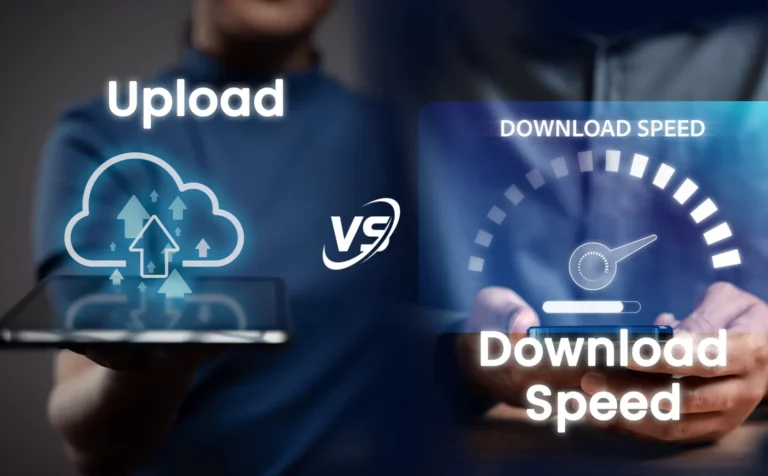
When you check your internet plan, you’ll notice two speeds: upload and download. Download speed refers to how quickly you canaccess data from the internet, and upload speed refers to how quickly you can send data.
Both upload and download speeds are essential for a good internet experience. Knowing where they differ can help you pick the right plan for your needs.
In this blog, we will explain the difference between upload vs download speeds, why each matters, and how they affect your everyday internet use. So, let’s dive in!
Upload vs Download Speed: Key Differences at a Glance
Understanding the upload vs download speed difference is easier when you compare both side by side. Here’s how they affect your everyday internet experience:
Aspect
Download Speed
Upload Speed
Definition
Receives data from the internet to your device.
Sends data from your device to the internet.
What It’s Used For
Streaming, browsing, downloads, and software updates.
Video calls, live streaming, file sharing, and cloud backups.
Typical Speed
Usually higher on residential plans.
Usually lower, except on many fiber plans.
Why It’s Different
Optimized for higher data consumption.
Lower bandwidth reserves more capacity for downloads.
Impact on Streaming
Affects video quality and buffering.
Mainly impacts live streaming quality.
Impact on File Transfers
Speeds up file downloads.
Determines upload and cloud sync speeds.
Impact on Gaming
Improves game downloads and updates.
Supports multiplayer responsiveness and cloud saves.
Remote Work
Downloads shared files quickly.
Keeps video calls, screen sharing, and uploads smooth.
Good Speed Range
100-300+ Mbps for most modern households.
20+ Mbps for everyday use; 50–100 Mbps for remote work and content creation.
What is Upload Speed?
Upload speed is the rate at which data moves from your device to the internet. Think of it as sending information out. When you send an email, post a photo, or join a video call, you are using your upload speed.
What is a Good Upload Speed?
A good upload speed depends on how many people are using the internet and what they are doing at the same time.
10-20 Mbps (Basic use): Works for voice calls, video calls, browsing, and small file uploads.
Around 25 Mbps (Minimum stable level): Keeps video calls steady and allows screen sharing without frequent issues.
20-50 Mbps (Regular heavy use): Handles multiple users simultaneously engaged in video calls, gaming, and file uploads.
50-100 Mbps (High usage): Good for remote work, uploading large files, live streaming, and high-quality video calls.
Upload speed matters when data is being sent out from a home. Higher speed helps keep calls steady, files upload faster, and online work runs without delays.
Benefits of High Upload Speed
Upload speed plays a key role in everyday online activities. Here’s how it affects you:
Video Calls and Meetings: Low upload speed can cause your video to freeze or your voice to lag. High upload speed ensures smooth, clear communication.
File Sharing: Sending large files, photos, or videos is faster with a higher upload speed. Slow speeds can make this frustrating.
Cloud Backups: Upload speed determines how quickly your data can be saved to cloud services. Faster uploads mean less waiting time.
Live Streaming: If you stream live videos, a high upload speed is essential for clear, uninterrupted broadcasts.
Work from Home: For remote work, a high upload speed ensures efficiency when sending documents, participating in video calls, or collaborating online.
Normally, people prioritize download speed over upload speed, so exploring different rural internet options can help you find a plan that provides stronger upload performance for work and streaming.
What is Download Speed?
Download speed is the rate at which data moves from the internet to your device. Think of it as receiving information. When you watch videos, browse websites, or download files, you are using download speed.
What is a Good Download Speed?
Download speed is how fast data comes from the internet to a device. It affects how quickly pages open, videos load, apps update, and files download.
Most US home internet plans prioritize download speed because people usually receive more data than they send. It’s essential for streaming, gaming, and general browsing.
25-40 Mbps (basic use per person): Enough for video calls, VPN use, email, browsing, and small downloads.
50-100 Mbps (small household use): Supports HD video streaming, online gaming, and normal browsing on a few devices.
100-300 Mbps (regular home use): Supports 4K streaming on one or two screens, smooth calls, and faster downloads.
300-500 Mbps (heavy home use): Handles simultaneous 4K streaming, gaming, and work for several people.
500 Mbps to 1 Gbps (high-usage homes): Supports multiple 4K streams, big game downloads, cloud backups, and smart home devices without slowing down.
Good download speed means the internet stays steady when many devices are connected. Higher speeds help everything load faster and keep the connection smooth during heavy use.
Benefits of High Download Speed
Download speed affects almost every activity you do online. Here’s why it matters:
Streaming Videos and Music: Faster download speed ensures smooth playback without buffering or interruptions.
Browsing the Web: Websites and online apps load quickly, improving your overall experience.
Downloading Files: Large files, apps, or software updates download faster with higher speeds.
Online Gaming: Download speed affects game updates, maps, and assets, ensuring smoother gameplay.
Remote Work and School: Quick downloads help you access documents, videos, and online resources without delays.
Understanding download speed helps you pick the right plan and ensures your online activities stay fast and efficient. If you live in rural America and need high-speed internet, then you should explore rural internet solutions designed to keep you connected for work, streaming, and everyday use.
What Is Internet Bandwidth and Why Does It Matter?
Internet bandwidth is the maximum amount of data your connection can carry at one time. It becomes essential when multiple people are streaming, gaming, attending video meetings, or using cloud services simultaneously.
Don’t confuse bandwidth with internet speed. Bandwidth is capacity, while speed is how quickly data travels.
Understanding bandwidth makes it easier to see the difference between download speed and upload speed, which directly impacts how your internet performs for different online tasks.
Difference Between Upload and Download Speed
Understanding upload and download speed helps you see how your internet affects daily activities. Let’s compare them across key parameters:
Common Use
Upload Speed: Daily use of upload speed includes sending emails, posting photos or videos on social media, uploading files to cloud storage, and participating in video calls.
Download Speed: Daily use of download speed includes streaming movies and music, browsing websites, downloading files, and watching videos online.
Verdict: Download speed dominates everyday entertainment and browsing, while upload speed is key for sharing, working online, and video communication.
Typical Speed Numbers
Upload Speed: Most US home internet plans offer upload speeds between 5 and 50 Mbps. Low speed is enough for emails and small file uploads, while higher speeds are better for video calls, extensive file sharing, and cloud backups.
Download Speed: Home internet plans typically provide download speeds between 100 and 500 Mbps. Higher download speeds make streaming, browsing, and downloading large files much faster and smoother.
Verdict: Download speeds are usually higher because most users consume more data than they send, but sufficient upload speed is essential for work, video calls, and file sharing.
Impact on Streaming and Media
Upload Speed: Upload speed has minimal effect when watching videos or listening to music. It matters if you are live-streaming content to others.
Download Speed: Download speed directly affects how smoothly videos or music play. Higher download speeds reduce buffering and improve streaming quality.
Verdict: Download speed is more important for consuming content, while upload speed only matters for live streaming.
Impact on File Sharing
Upload Speed: Upload speed determines how quickly you can send large files, photos, or videos to the internet. Higher speeds make file sharing faster and less frustrating.
Download Speed: Download speed affects how fast you receive files from others. High download speed ensures quick access to large files and documents.
Verdict: Upload speed is critical when sending files, while download speed is key when receiving them.
Impact on Video Calls and Conferencing
Upload Speed: Upload speed impacts how clearly others see and hear you during video calls. Low upload can cause freezing or delays.
Download Speed: Download speed affects the quality of incoming video and audio from others. Slow download may make participants appear pixelated or audio choppy.
Verdict: Both speeds matter, but upload speed is more critical for sending clear video and audio, while download speed affects how you receive it.
Online Gaming
Upload Speed: Upload speed affects real-time communication with the game server. Low upload can cause lag, delayed actions, or poor multiplayer performance.
Download Speed: Download speed affects how fast games, updates, and in-game content load. Higher download speeds reduce wait times and improve the overall gameplay experience.
Verdict: Both speeds are essential, as download speed is required for game updates and loading, and upload speed is necessary for smooth real-time gameplay.
Work From Home and Cloud Services
Upload Speed: Upload speed is essential for sending documents, sharing files, uploading reports, and video conferencing. Low upload can slow productivity and cause delays in collaboration.
Download Speed: Download speed helps you access files, emails, documents, and online resources quickly. Higher download speeds ensure smoother browsing and faster access to work-related data.
Verdict: Both speeds matter, but upload speed becomes more critical if your work involves frequent file sharing or video calls, while download speed affects accessing content efficiently.
Knowing which internet speed plan to choose is almost as important as understanding the difference between download speed and upload speed.
Common Download and Upload Speed Packages in the U.S.
Most internet plans are offered in speed tiers based on household size and online usage. Here’s a quick overview of the common internet speed packages:
Household & Usage
Download Speed
Upload Speed
1–2 users (light use)
50–100 Mbps
10–25 Mbps
2–4 users (streaming, video calls)
100–300 Mbps
25–50 Mbps
4+ users (4K streaming, gaming, remote work)
500 Mbps–1 Gbps
50–100 Mbps
The right speed package depends on how many people and connected devices share your internet connection.
The right internet speed depends on the number of users, connected devices, and the types of online activities. The recommendations below provide a practical starting point for both home and business environments.
Heavy cloud usage, large file transfers, multiple concurrent users
Once you know how much speed you need, the next question is which matters more for you: upload or download speed?
Upload vs Download Speed: What Should You Prioritize
The right priority depends on how you use the internet:
Upload speed is essential for sending large files and data, including video calls, live streaming, cloud backups, remote work, and file sharing.
Download speed matters most for data-intensive activities, including streaming, browsing, gaming, and file downloads.
If you regularly use your connection for both work and entertainment, choose a plan with high upload and download speeds to ensure consistently smooth performance.
Choose an internet plan that matches your daily online activities. If you are looking for plans with equally powerful upload and download speeds, explore our plans today.
FAQs on Upload vs Download Speed
Is it faster to upload or download?
Neither upload nor download speed is better; both are important and serve different purposes. Download speed is essential for tasks like streaming videos, browsing, and gaming. On the other hand, upload speed is more important for video calls, live streaming, and sending large files.
How do I know if my internet speed is slow?
Use online speed tests like Speedtest.net to check download and upload speeds. Slow download speed causes buffering or long load times, while slow upload speed causes lag in video calls or delays in sending files. Comparing results with your plan helps identify issues.
What’s a good upload and download speed?
A good internet speed varies by usage. For most homes, a download speed of 100-500 Mbps works well for streaming in 4K, gaming, and multiple users. An upload speed of 20-35 Mbps is sufficient for video calls and sending large files. For light use, like browsing and email, 50 Mbps download is adequate. However, heavy users may need symmetrical high speeds of 1 Gbps or more.
Do upload and download speeds affect gaming?
Yes. Download speed affects how quickly games and updates load. Upload speed affects real-time communication with the game server. Both are important for smooth gameplay, but multiplayer gaming is more sensitive to low upload speed.
How do I choose the right internet plan for my needs?
Check your primary activities. Choose a higher download speed for streaming and browsing. Choose a higher upload speed for work, video calls, or cloud use. Make sure the plan supports multiple devices if your household streams or works online at the same time.
Which one should I prioritize, upload or download speed?
Prioritize download speed if your primary use is streaming, browsing, or gaming. Prioritize upload speed if you work from home, share files, or do video calls. For most users, a balanced plan with good speeds in both directions is best.
Which is more important: download speed or upload speed?
It depends on how you use the internet. Download speed is more important for streaming, browsing, and downloads, while upload speed matters for video calls, gaming, cloud backups, and large file transfers. If you do both regularly, choose a plan with balanced speeds.
Why are upload speeds slower than download speeds?
Most residential internet plans allocate more bandwidth to downloads because users typically consume far more data than they upload. This asymmetric design improves streaming and browsing while keeping network capacity efficient.
How does WiFi affect download and upload speeds?
WiFi can reduce both upload and download speeds due to signal interference, distance from the router, network congestion, and connected devices. A strong WiFi signal or wired Ethernet connection helps maintain more consistent speeds and lower latency.
Sidra Jefferi is the Marketing Director at UbiFi with deep expertise in corporate actions and a strong understanding of both international and domestic markets. She combines her analytical skills and attention to detail with strategic marketing leadership to help expand UbiFi’s mission of delivering reliable internet to rural and underserved communities.
Internet That Moves With You — Plans Begin at $89.99/mo
Stay online from rural areas or anywhere on the road.