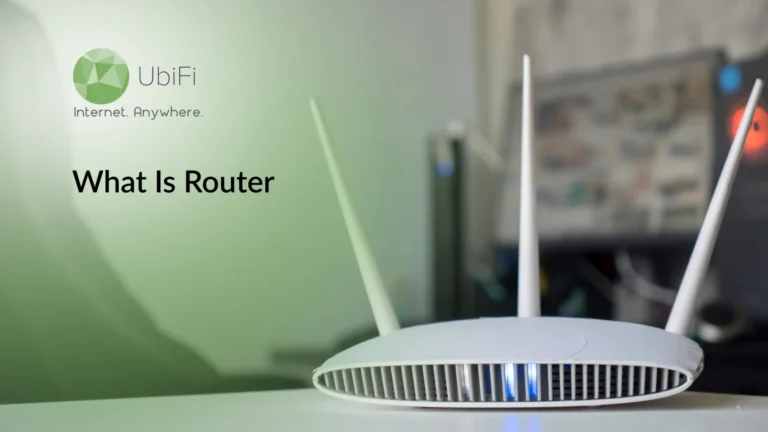
A router spreads the WiFi signal across your home or workplace, ensuring all devices stay connected.
Different types of routers are available, and each one works differently depending on your needs.
Routers need strong security measures, such as strong passwords and regular firmware updates, to prevent unauthorized access.
The right router will improve your WiFi by providing better coverage, higher speeds, and a more reliable connection.
Kevin Peterson
13Minutes to read
Table of Contents
The internet is needed for nearly everything we do daily. Watching shows, attending online meetings, checking the news, and even turning on smart lights, all require internet. And when the internet does not work as supposed, most of us blame the internet provider.
But often the issue is with the router. This small device is responsible for spreading the network across your space, yet most people don’t know what it actually does. If you’ve ever wondered, “What is a router, and why does it matter?” this blog will answer it for you. So, let’s begin.
What is Router?
A router is the device that enables your home gadgets to share the same internet connection. It takes the internet from your modem and sends it to your phone, laptop, TV, and any other device that needs it. When you open a website or stream a video, the router ensures the data reaches the right place. It keeps your network organized, helps your Wi-Fi reach around your home, and plays a significant role in internet speed.
Why Do You Need a Router?
A router is essential for keeping your home internet stable and organized.
It connects multiple devices to a single internet connection.
It adds security by blocking unwanted access.
It allows you to control your network, setting limits, pausing devices, or monitoring usage.
With a router in place, your internet experience will be fast, safe, and reliable.
How Does a Router Work?
A router works by taking data from your devices, reading the destination IP address, and sending it through the correct route. It uses a routing table to find the fastest path for each packet. Inside your home, it creates a local network with DHCP (Dynamic Host Configuration Protocol), giving every device unique address so traffic stays organized. This lets your phone, laptop, and TV connect smoothly without interference.
It also handles how your data moves in real time. Protocols like NAT (Network Address Translation) keep your private network hidden while allowing all devices to share one public IP. QoS (Quality of Service) settings help the router prioritize tasks that need constant bandwidth, like video calls or gaming. Alongside this, the built-in firewall screens incoming traffic, blocking threats before they reach your devices.
Why Do You Need a Router?
A router is essential because it makes your internet connection usable throughout your home. It creates your Wi-Fi network, spreads coverage to each room, and keeps all your devices connected at the same time without overloading the line. It gives your home a stable, single network instead of separate devices fighting for signal.
You also need a router for the control it gives you. It lets you manage who joins your network, shape access for kids or guests, and adjust your Wi-Fi to avoid dead spots. Many routers add features like app-based monitoring, network health checks, and signal boosting. These tools help you maintain a smooth, dependable connection and keep your network organized.
So if you want stronger coverage and smarter control, upgrade to the UbiFi F1 router for a faster, more secure home network.
Types of Routers
There are multiple types of routers available; each one is designed for a specific layer of a network. Below are the main types you’ll come across:
Core Routers
Core routers are used in large networks and handle massive streams of data. They’re used by telecom giants, cloud providers, and enterprises with heavy internal traffic. They don’t connect to the public internet directly; instead, they keep high-capacity networks running smoothly.
Edge Routers
An edge router stands at the border of a network. It links an internal network to outside connections, including the internet. Its focus is to route data quickly and reliably between networks, not to manage Wi-Fi or local devices. In older terminology, this role was often tied to “modems,” but modern edge routers are far more advanced.
Distribution Routers
These routers sit between the edge and the users. They take the connection delivered by the edge router and distribute it across departments, buildings, or floors. They often provide both Wi-Fi and wired access, keeping local traffic orderly and efficient.
Wireless Routers
Wireless routers are the everyday routers found in homes and small offices. They combine the gateway and distribution roles into one device. They connect to your modem and broadcast Wi-Fi, creating a WLAN that supports all your household gadgets without extra equipment.
Wired Routers
Wired routers create a traditional LAN using Ethernet ports. They rely on cables instead of wireless signals and offer steady, interference-free connections. Schools, labs, and workplaces with strict stability still depend on them.
Mesh Routers
Mesh systems use multiple nodes to form one unified Wi-Fi network. Each node talks to the others, filling dead zones and extending coverage. They’re ideal for larger homes or places where a single router can’t reach every corner.
Virtual Routers
A virtual router is software that performs routing functions without physical hardware. Businesses use them to build flexible, scalable networks in the cloud. They reduce hardware maintenance and can switch roles instantly if one instance fails.
Each of these router types has a distinct role. Understanding the differences helps you see how data moves from the core of the internet to your devices.
Security Challenges Associated with Routers
Routers face many security risks that can expose a network if left unchecked. The most common challenges are discussed below:
Firmware Vulnerabilities
Every router runs on firmware, and like any software, it can contain weaknesses. Attackers often target these flaws to access the network, monitor traffic, or turn the router into part of a botnet. When firmware is not updated, these threats remain open. Regular updates are essential to keep the device secure.
DDoS Pressure on the Network
Routers can be overwhelmed by distributed denial-of-service (DDoS) attacks. These attacks flood the network with fake traffic until the router slows or collapses. For home internet, these attacks disturb connectivity. For businesses, it might lead to costly downtime. Protecting the network against such attacks is essential.
Weak Administrative Credentials
Most routers come with default login details that are widely known. If these credentials stay unchanged, an attacker can gain remote access very easily. A strong, unique password is a basic yet powerful barrier to unauthorized access.
These challenges show why routers need steady care and attention. Securing them ensures a safe and reliable network. And if you ever face sudden wifi router problems, one of the simplest fixes is to reset the router, which clears faulty settings and restores normal operation.
What Should You Look for in a Router?
Choosing the right router is essential. ISP-supplied routers work, but they often fall short on coverage, speed, and security. Many people also wonder whether they should use an ISP-provided router or get a Router of their own, and in most cases, a dedicated router offers far better performance and control.
A good router should be able to spread the network across your house. It should support the number of devices you use and the level of protection you expect. Below are the essentials to pay attention to:
Strong Wi-Fi Coverage
Coverage is the first thing to check. Larger homes, thick walls, and barriers like mirrors or fireplaces can make the signals weak. Choose a router that can reach all rooms. If your home has dead zones, try a mesh network. Mesh systems use multiple nodes to carry the signal evenly across your space.
Reliable Wi-Fi Performance
Modern routers use newer chips and improved wireless standards. Look for features like MU-MIMO (Multi-User, Multi-Input, Multi-Output), which allows the router to talk to several devices at the same time instead of one after another. It reduces delays and keeps the network smooth when many gadgets are online. Also make sure the router gets regular firmware updates, as they keep it stable and running well.
Built-In Security Features
Your router is the first entry into your home network, so weak security puts everything at risk. Choose a router that has strong, automatic protection built in. Look for features like signed firmware updates, device quarantine, and real-time threat checks. These tools help block attackers early and lower the chances of malware slipping through weak points.
Simple and Useful Controls
A good router should be easy to handle. Many newer models come with simple, easy-to-use apps. These let you set up guest access, control screen time, pause devices, and check your network’s health. Easy controls make your Wi-Fi easier to manage and give you a better view of what’s happening on your network.
Support for Modern Standards
Standards evolve quickly. Choosing a router that supports Wi-Fi 6 or Wi-Fi 6E can give you faster speeds, better efficiency, and improved performance in crowded environments. These standards also handle multiple devices better.
Room to Grow
Choose a router that can handle future demands, such as more devices, higher speeds, or new wireless features. Expandability, strong hardware, and long-term update support make your network dependable.
Keep these essentials in mind, and you’ll be able to find a router that delivers consistent coverage, good security, and room to grow.
Let’s Summarize
A reliable router makes the network stable. Once you understand how routers shape traffic, cut down congestion, and keep your devices connected, it becomes easier to spot what you actually need. Good coverage, steady performance, strong security, and easy controls make for a great setup.
If your current router can’t reach every room or slows down under pressure, you should consider upgrading to a better router. Modern routers offer smarter hardware, safer software, and far better visibility into what’s happening on your Wi-Fi.
Need a smoother, stronger network? Explore our plans. You can also add our advanced UbiFi F1 router for even better coverage, performance, and control.
FAQs on Router
What is the difference between a router and a modem?
A modem brings the internet into your home, while a router spreads that connection to your devices. The modem communicates with your internet provider, and the router handles the traffic inside your home. They work together, but each has a different job.
Do you need a router for Wi-Fi?
Yes. A router is what creates the Wi-Fi network in your home. The modem alone cannot send wireless signals. Without a router, you would need to plug every device in with a cable.
Can I use a router without an internet connection?
Yes, but only for local tasks. You can still connect devices to the router and share files, stream from a local server, or use a printer. You just won’t be able to reach the wider internet without a modem and an active connection.
Kevin Peterson is a telecommunications expert and proud Chicago native with over a decade of industry experience. He’s passionate about expanding internet access and improving infrastructure, especially in underserved communities. Committed to bridging the digital divide, Kevin believes everyone deserves reliable connectivity in today’s digital world.
Internet That Moves With You — Plans Begin at $89.99/mo
Stay online from rural areas or anywhere on the road.