MiFi vs WiFi Explained: Key Differences and How to Pick the Right One
Quick Summary
Understand the difference between MiFi and WiFi and how each works.
Compare speed, range, cost, security, and portability to choose the right option.
Use MiFi for travel, remote work, rural areas, and backup internet.
Choose WiFi for faster speeds, unlimited data, and multiple connected devices.
Pick MiFi, WiFi, or both based on your connectivity needs.
Sidra Jefferi
12Minutes to read
Table of Contents
Nowadays, life comes to a standstill when the internet stops. In fact, 96% of adults in the U.S. say they use the internet. Staying connected has become part of everyday life, and its importance cannot be understated. That’s why the MiFi vs WiFi question is asked so often.
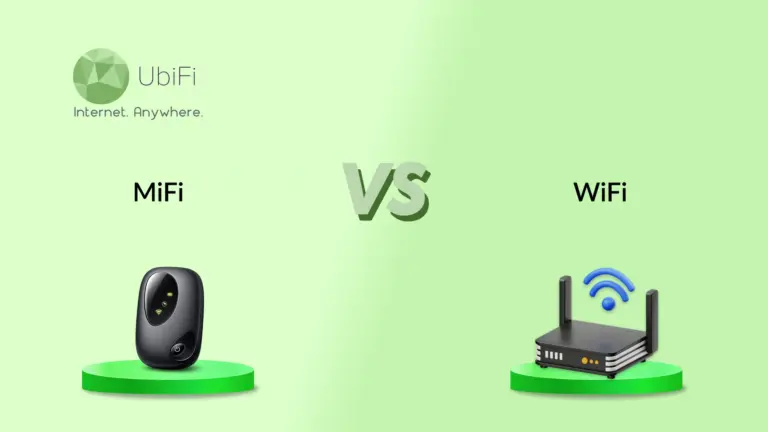
WiFi is the wireless technology that connects devices to a router. A MiFi is a portable hotspot with a cellular modem that turns a 4G LTE or 5G connection into a private WiFi network.
Once you see the difference, the choice gets simple. Here’s the breakdown.
What Is a MiFi and How Does MiFi Work?
So what is a MiFi device? It’s a small, battery-powered gadget that creates a personal WiFi network from a cellular signal.
Think of it as a mini router. But instead of plugging into a wall socket, it provides internet access via a SIM card. Every MiFi device has two parts: a cellular modem that connects to a 4G LTE or 5G tower, and a WiFi transmitter that shares that signal with your devices.
Here’s the full path:
Insert a SIM card with a data plan into the MiFi router.
🡻
The modem connects to your carrier’s 4G or 5G towers to reach the internet.
🡻
It broadcasts a password-protected WiFi signal.
🡻
Your laptop, tablet, or smart TV joins that network like any other.
🡻
Data runs from your devices through the MiFi to the cellular network and back.
Most units keep 5 to 15 devices online at once and run 8 to 12 hours per charge. Newer 5G models hit up to 2.5 Gbps and handle 20 to 30 connections.
No installation, cables, or technician required. That’s how portable WiFi works for anyone who needs to keep moving.
Before comparing MiFi vs WiFi, let’s understand how WiFi works.
What Is WiFi and How Does It Work?
WiFi isn’t a device at all. It’s a wireless standard that uses radio waves to move data between your devices and the internet, allowing you to download apps on your phone while watching Netflix on your smart TV.
This technology runs on the IEEE 802.11 standard, which defines the frequencies, rules, and speeds.
The setup is simple:
A router is placed at the center of your internet-usage areas.
🡻
It’s wired to your ISP (Internet Service Provider) through fiber, cable, or DSL.
🡻
The router turns that wired feed into radio waves across the 2.4 GHz, 5 GHz, or 6 GHz bands.
🡻
Any device in range picks up the signal.
The standard keeps evolving. WiFi 6 added OFDMA and 1024-QAM to support more devices simultaneously. WiFi 7 goes further with Multi-Link Operation, 4096-QAM, and 320 MHz channels, reaching up to 46 Gbps in ideal conditions.
If your connection feels slow, it’s worth knowing how to improve WiFi speed before blaming the hardware.
Range
MiFi provides ~30–50 ft (10–15 m) indoors, which is typical, depending on the device, obstacles, and WiFi band.
WiFi router delivers ~150 ft (45 m) indoors and up to ~300 ft (90 m) outdoors in ideal, unobstructed conditions. Mesh systems extend coverage across larger homes.
Setup
MiFi is as simple as it gets. Insert a SIM, power it on, and connect.
WiFi takes more work upfront. You need an ISP account and a router that has to be configured and connected before you’re online.
Cost
MiFi is usually cheaper to get started, but recurring cellular data plans can become expensive, especially for heavy use.
WiFi often costs more upfront because it requires home internet service and a router, but it typically offers unlimited data at a lower cost per gigabyte over time.
Security
MiFi creates a private, encrypted cellular network. That helps you avoid the risks of open public hotspots.
WiFi uses WPA2 or WPA3 encryption. It’s solid at home but more exposed on public networks.
MiFi vs WiFi Use Cases in the Real World
MiFi and WiFi both provide internet access, but the trick is to align your requirements with the appropriate technology. Here’s where each shines:
When to use MiFi
Travel and remote work: Whether you need internet for nomads or business travelers, MiFi provides one private hotspot across every location, while a global SIM helps avoid roaming charges.
Rural areas: Where broadband is scarce or costly, a MiFi device leverages existing cellular infrastructure for telehealth, online schooling, and remote work.
Emergency backup: When a storm or ISP outage knocks out your home internet, a MiFi keeps work and VoIP running as a failover connection.
Group connectivity: One device can cover 10 to 15 people (up to 32 on newer 5G models), cheaper than handing everyone a phone hotspot.
Healthcare on the go: Mobile clinics and response teams get secure internet for patient registration, rescue missions, and teleconsultation.
When to use WiFi
Home and office: Reliable 24/7 service with no battery to replace or charge, and WiFi 6 or 7 routers handle dozens of devices without slowing down.
Heavy bandwidth: Gaming, 4K streaming, big file transfers, and cloud work run smoothly where MiFi would struggle.
Unlimited data: Heavy users often choose unlimited home WiFi plans over MiFi plans with cellular data limits that can reduce speeds or increase costs.
Many users at once: WiFi is built to handle more connected devices, making it a better fit for families and offices.
Still, a portable MiFi gives you a reliable signal in places where WiFi broadband can’t reach. That matters if you’ve ever wondered whether you can get WiFi without a traditional internet. So how do you actually pick one?
MiFi vs WiFi: Which One Fits Your Needs?
The ideal choice depends on where your priorities lie and your data usage requirements.
Pick a top-rated MiFi when you:
Travel often or work on the go and need internet across multiple locations.
Live where broadband isn’t available, reliable, or affordable.
Need a backup connection during ISP outages.
Want to share internet with a small group while away from home.
Choose WiFi when you:
Use the internet mainly at home or in the office.
Need the fastest speeds for gaming, 4K streaming, or large file transfers.
Have multiple people and devices connected throughout the day.
Rely on unlimited data for heavy internet use.
For many people, the best answer is both. WiFi as the anchor at home. A MiFi device for everything past the front door. This balance creates an ecosystem where you can stay connected at all times.
MiFi vs WiFi: The Bottom Line
MiFi and WiFi are two tools for two different jobs, sharing the same purpose.
WiFi gives you speed, capacity, and reliable connectivity at a fixed location. MiFi gives you internet that travels, holding a signal anywhere cellular coverage reaches, with no wires needed.
Weigh performance against portability, cost against convenience, then align the tool with your needs.
Much safer. A MiFi creates a private WiFi network over an encrypted cellular connection, reducing the risks associated with shared public WiFi hotspots.
Can MiFi support enterprise-grade applications?
Yes, for temporary deployments, remote work, or failover. For bandwidth-intensive or mission-critical workloads, businesses often combine MiFi with VPNs or SD-WAN solutions and may deploy multiple hotspots for redundancy.
Do I need a SIM card for a MiFi device?
Yes. A MiFi device uses a cellular network to access the internet, so it needs a SIM card (or an eSIM on supported models) with an active data plan.
Is WiFi 7 compatible with older devices?
Yes. WiFi 7 routers are backward compatible. Older devices can still connect but won’t benefit from WiFi 7 features such as Multi-Link Operation, wider channels, or higher speeds.
Which is better, WiFi or MiFi?
Neither is better for every situation. WiFi is the better choice for speed, capacity, and unlimited home internet, while MiFi is ideal when you need a portable internet connection on the go.
What are the disadvantages of MiFi?
MiFi comes with data caps, higher and variable latency, fewer supported devices (5 to 15), and speeds that swing with signal strength. Data costs can also climb fast with heavy use.
What does MiFi stand for?
There’s no official meaning, but it’s widely read as “My WiFi” or “Mobile WiFi,” reflecting the personal, portable network it creates from a cellular signal.
Can I use MiFi instead of WiFi?
Yes, for email, browsing, and light streaming, MiFi works fine as a primary connection. But for heavy gaming, 4K, or 10+ devices, broadband WiFi is the better call.
Sidra Jefferi is the Marketing Director at UbiFi with deep expertise in corporate actions and a strong understanding of both international and domestic markets. She combines her analytical skills and attention to detail with strategic marketing leadership to help expand UbiFi’s mission of delivering reliable internet to rural and underserved communities.
Internet That Moves With You — Plans Begin at $89.99/mo
Stay online from rural areas or anywhere on the road.