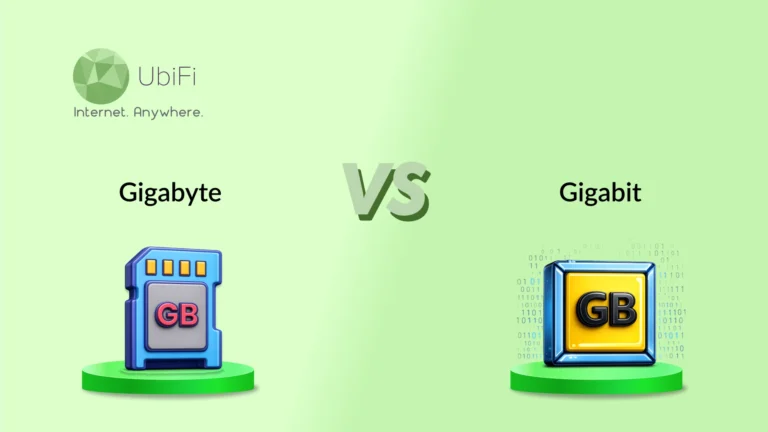
Gigabyte vs. Gigabit: How They Differ and Which Should You Choose?
Quick Summary
Gigabyte vs Gigabit differ in storage capacity and data transfer speed across digital systems and networks.
Gigabit measures internet speed, while gigabyte measures file size and storage space in devices.
One byte equals eight bits, making the gigabit-to-gigabyte conversion essential for accurate understanding.
Confusing GB (Gigabit) and GB (Gigabyte) often leads to wrong expectations about internet speed and download times.
Sidra Jefferi
11Minutes to read
Table of Contents
Most people don’t realize there’s a difference between a gigabit and a gigabyte until it becomes slow. A plan promises 1 Gig, but video calls still freeze during storms or busy evenings. That’s where the confusion between gigabyte and gigabit quietly creates the wrong expectations. The terms sound almost the same, yet they measure two completely different things.
Those tiny letters beside internet plans and file sizes matter more than they seem. One tells how fast data moves. The other indicates how much data can be stored or used. Understanding the difference between gigabit and gigabyte makes it much easier to choose a good internet speed and avoid marketing confusion.
In this detailed gigabit vs gigabyte comparison, we will see how they differ based on speeds, storage, real-world usage, and other parameters. Let’s dive in.
Gigabyte vs Gigabit: Quick Comparison Table
Parameter
Gigabit (GB)
Gigabyte (GB)
What it measures
Internet speed/data transfer rate
Storage size/file capacity
Basic meaning
1 billion bits of data in motion
1 billion bytes of stored data
Usage context
Broadband plans, fiber internet, routers
Phones, SSDs, cloud storage, files
Common format
Gbps (gigabits per second)
GB (gigabytes)
What does it tell you
How fast does data move
How much data exists
Real-world example
1 Gbps internet speed
5 GB movie file
Key distinction
Speed unit
Storage unit
Core Idea
Data flow
Data size
What is Gigabyte?
A gigabyte (GB) is a unit used to measure digital storage. It shows how much data a file or device can hold. Photos, videos, apps, and games all use gigabytes. A phone with 128 GB of storage can store a large number of files, depending on their size.
One gigabyte is equal to 1,024 megabytes, or nearly 1 billion bytes. It is used in storage devices like hard drives, SSDs, USB drives, and cloud storage. A 3-5 GB file is common for HD movies, while large games can go beyond 50 GB. A gigabyte only describes size, not speed or performance.
What is a Gigabit?
A gigabit (Gb) measures data speed, not storage. It equals one billion bits of data. A bit is the smallest unit in computing, either a 0 or a 1. So a gigabit is a large stream of these bits moving through a network.
In internet usage, it is written as gigabits per second (Gbps). A 1 Gbps connection means one billion bits can be transferred every second. Since 8 bits equal 1 byte, the real transfer rate is about 125 megabytes per second. This is why a 1 gigabit internet plan does not download a 1 GB file in one second.
Gigabit is used in broadband plans, fiber networks, routers, and Ethernet ports. It shows how fast data moves, not the size of files or storage space. Higher gigabit values mean faster data transfer and smoother network performance.
Gigabit vs. Gigabyte: Key Differences in Detail
A gigabit and a gigabyte are often confused because they sound similar, but they serve very different roles in digital systems. One is about speed, the other about storage. Understanding them clearly helps avoid misunderstanding in everyday internet use.
Unit Type (Speed vs Storage)
Gigabit: A gigabit measures how fast data moves across a network. It is used when talking about internet speed, broadband plans, and network capacity. It focuses on how much data can pass through every second. In simple terms, it describes the flow of data.
Gigabyte: A gigabyte measures how much data is stored. It is used for files, apps, videos, and device memory. It shows how much space something takes or how much can be stored. In simple terms, it describes the size of data.
Notation and Symbol
Gigabit: Written as Gb. The lowercase “b” stands for bits, which are the smallest units of digital data. This distinction is important in technical specifications.
Gigabyte: Written as GB. The uppercase “B” stands for bytes, which are made up of 8 bits. This small change in letter case leads to a major difference in value.
Where It Is Used
Gigabit: Used in internet plans, fiber connections, routers, switches, and network speed ratings. Internet providers often advertise speeds in Gbps for this reason.
Gigabyte: Used in storage devices like SSDs, hard drives, USB drives, cloud storage, and file sizes such as videos, apps, and games. It defines capacity, not speed.
How to Convert Gigabits to Gigabytes?
Gigabit-to-gigabyte conversion sounds technical at first, but the math behind it is very simple. The only thing to remember is that 1 byte contains 8 bits. Every conversion between Gb and GB follows that same rule.
To convert gigabits (Gb) into gigabytes (GB), divide the number by 8. GB = Gb/8
For example, 8 gigabits equals 1 gigabyte. A 40 Gb transfer equals 5 GB of data.
To convert gigabytes (GB) into gigabits (Gb), multiply the number by 8. Gb = GB X 8
A 2 GB file equals 16 gigabits. A 10 GB file equals 80 gigabits.
The letters matter more than most people expect. Many speed and storage misunderstandings happen because of that one small letter.
Internet providers usually show speed in Gbps, while downloads and storage are shown in GB. So even with a fast gigabit connection, a 1 GB file still takes time because speed and file size are measured differently.
Gigabit (Gb)
Gigabyte (GB)
1 Gb
0.125 GB
8 Gb
1 GB
16 Gb
2 GB
32 Gb
4 GB
64 Gb
8 GB
Once bits and bytes are separated clearly, the math becomes easy to follow.
How To Avoid the Gigabit vs Gigabyte Mistake
The gigabit vs gigabyte mistake is very common. The terms look nearly the same, and many internet plans shorten everything to “gig.” A few small checks can save a lot of confusion when comparing speed, storage, or download time.
Watch the letter closely: A lowercase “b” means bits. An uppercase “B” means bytes. Gb and GB may look similar at a glance, but they measure different things.
Separate speed from storage: Gigabit refers to internet speed. Gigabytes are used to measure file size and storage capacity. One measures data movement; the other shows how much data there is.
Read internet plan labels carefully: Most providers advertise speed in Mbps or Gbps. A 1 Gbps plan does not mean files download at 1 GB per second.
Do not compare file size directly with internet speed: A movie may be 5 GB, while internet speed may be 500 Mbps or 1 Gbps. Since both use different units, a direct comparison is confusing.
Ask for the full terms when something looks unclear: Some product pages mention only “gig” without explaining the unit. Checking whether it means gigabit or gigabyte helps avoid misinterpretation.
Keep the basic conversion in mind: 8 gigabits equal 1 gigabyte. Remembering that simple rule makes download estimates easier to understand.
Most of the confusion between gigabit and gigabyte comes from similar names and symbols. Checking the unit carefully helps avoid wrong assumptions about speed and storage.
Still confused between Gigabit and Gigabyte? We can help.
Gigabit is about how fast data moves across a connection. Gigabyte is a unit of data storage or usage. These two units show up in different places, but they often get mixed up when reading internet plans or checking file sizes. A clear understanding helps avoid wrong expectations around downloads, streaming, and storage space.
In real-world use, even small misunderstandings can lead to thinking that a connection is faster or that a file is smaller than it actually is. Keeping bits and bytes separate makes the numbers easier to read and trust. Once you get used to this, internet speeds and storage sizes become much easier to interpret without second-guessing.
If you want an internet plan that delivers on its promises without causing any confusion, explore our plans today.
FAQs on Gigabyte vs Gigabit
How do gigabits and gigabytes work together?
Gigabits measure how fast data moves. Gigabytes show how much data is being moved. Both come into play during downloads and uploads. Speed controls time, and size controls volume.
Which is bigger: KB, MB, or GB?
The order is simple: KB < MB < GB. KB is the smallest unit. MB is larger and used for most files. GB is the largest and is used for apps, videos, and storage.
Do I need 500 Mbps internet or 1 gig?
500 Mbps is usually enough for normal browsing, streaming, and a few devices. 1 gig is better when many people are online at the same time or when large files are common. The difference shows up in heavy use, not basic tasks.
Why is my download slower than my internet plan?
Internet plans are shown in speed units like Mbps or Gbps. Files are measured in GB. Since these are different units, downloads take longer than expected. The gap is normal, not a fault.
Is gigabit the same as gigabyte speed?
No. Gigabit is a speed unit. A gigabyte is a storage unit. A 1 Gbps connection does not mean 1 GB files download in one second. They measure two different things.
Sidra Jefferi is the Marketing Director at UbiFi with deep expertise in corporate actions and a strong understanding of both international and domestic markets. She combines her analytical skills and attention to detail with strategic marketing leadership to help expand UbiFi’s mission of delivering reliable internet to rural and underserved communities.
Internet That Moves With You — Plans Begin at $89.99/mo
Stay online from rural areas or anywhere on the road.